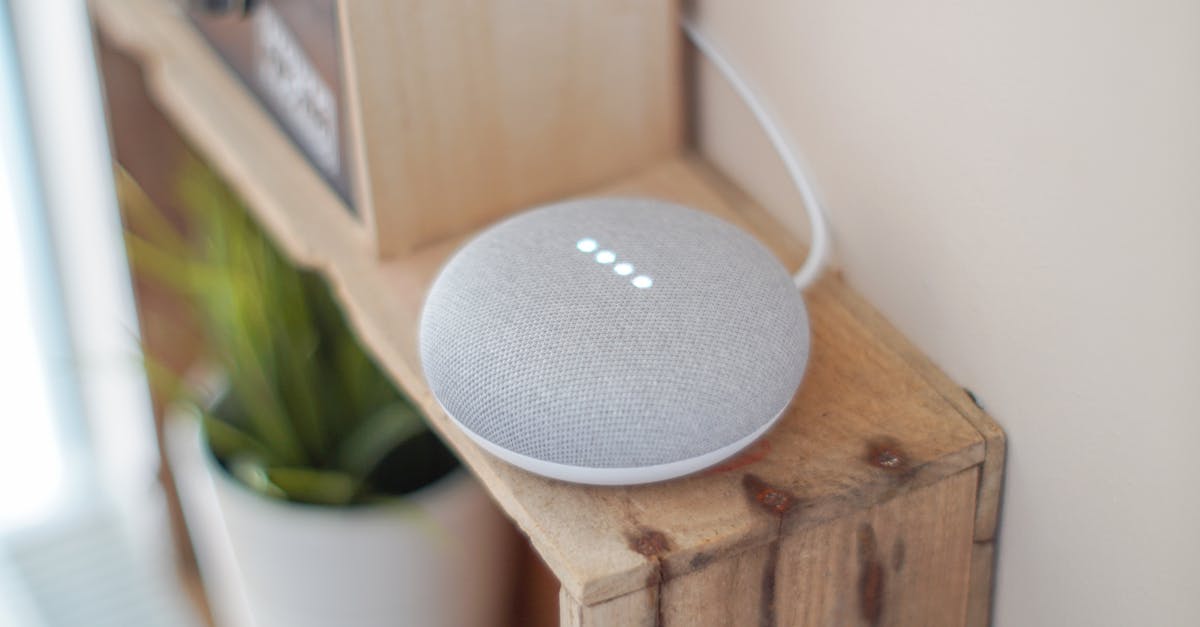
For many, voice assistants like Amazon Echo and Google Home have become an indispensable part of daily life. They dim the lights, play music, and even tell us the weather without us lifting a finger. But with this convenience comes a hidden vulnerability: security. Most users think they’re safe if they just set a strong password for their Wi-Fi and use a unique phrase for purchases. In my experience, these are just baseline measures. The real threats, and the truly effective defenses, lie in understanding the subtle, often counterintuitive ways these devices interact with your home environment and your personal data. The mistake I see most often is treating a voice assistant like any other smart device. Its always-on microphone and constant cloud connection introduce an entirely different set of considerations. What changed everything for me was adopting a more proactive, almost skeptical, approach to how these devices operate within my most private space.
Key Takeaways
- Assume your voice assistant is always listening for its wake word and design your conversations accordingly.
- Isolate voice assistant devices on a separate guest network to limit potential lateral movement of threats.
- Regularly audit and restrict app permissions for skills and integrations to minimize data exposure.
- Implement a layered authentication strategy, including voice match and PINs, for sensitive commands.
- Physically review voice assistant wake word history to catch unauthorized or accidental recordings.
1. Assume Constant Eavesdropping and Plan Your Conversations
This might sound paranoid, but it’s a foundational shift in how I approach voice assistant security. While manufacturers assure us their devices only listen for a wake word, the reality is that the device must be constantly processing audio to detect that wake word. This means a snippet of your private conversations, even if not recorded or sent to the cloud, is being processed locally on the device. My counterintuitive rule here is not to avoid talking around your device entirely – that’s impractical – but to treat every conversation near a voice assistant as potentially exposed to its local processing unit. This isn’t about fear-mongering; it’s about informed caution.
For example, I once had a sensitive work call while my smart speaker was in the room. Even though I didn’t say the wake word, the mere presence of the device meant fragments of proprietary information were, however fleetingly, in its digital ‘ear.’ What I do now is simple: for any truly private conversation, I physically mute the microphone on the device. It’s a small, deliberate action that provides tangible peace of mind. Relying solely on a setting in an app isn’t enough; I want the tactile confirmation of a physical switch. This level of intentionality forces you to acknowledge the device’s pervasive listening capabilities and empowers you to control them rather than passively accepting the default state. It’s a subtle but powerful shift from trusting the system to actively managing its intrusion potential.
2. Isolate Devices on a Guest Network
Most people set up their voice assistant on their primary home Wi-Fi network, alongside their computers, phones, and other smart home gear. This seems convenient, but it’s a significant security oversight. The counterintuitive rule here is to treat your voice assistant as a potential entry point for network-wide vulnerabilities. Imagine if a sophisticated piece of malware, or even a simple bug, exploited a flaw in your voice assistant. If it’s on your main network, it could potentially access other devices, like your network-attached storage (NAS) or even your computer.
My solution, after a close call with a reported vulnerability in a popular smart speaker brand last year, was to create a dedicated guest Wi-Fi network specifically for all my smart home devices, including voice assistants. Modern routers make this surprisingly easy. This network has its own password and is entirely segregated from my main home network. This creates a digital firewall. If a voice assistant device were ever compromised, the attacker would be contained within the guest network, unable to ‘jump’ to my more sensitive personal devices. It’s an extra layer of defense that most users overlook, but it’s fundamentally about limiting the blast radius of any potential security incident. In my experience, the minor inconvenience of managing a separate network is a small price to pay for the significant boost in overall home network security.
3. Audit Skill Permissions More Aggressively Than Phone Apps
When you download a new app on your phone, you often review its permissions: access to your camera, microphone, contacts, etc. With voice assistants, we tend to be less vigilant about ‘skills’ or ‘integrations.’ This is a critical mistake. The counterintuitive rule: Voice assistant skills, though seemingly innocuous, can be far more intrusive than smartphone apps because they often have direct access to your voice commands and, indirectly, to other connected smart home devices.
I learned this the hard way after enabling a seemingly harmless ‘sleep sounds’ skill that, upon deeper inspection, had requested permission to ‘control connected smart home devices.’ While it claimed this was for dimming lights with a command, it opened a door I wasn’t comfortable with. Now, I have a strict regimen: I review the permissions of every new skill I enable, and then I re-audit all active skills quarterly. This involves going into the voice assistant’s companion app or web portal and explicitly revoking any permission that isn’t absolutely essential for the skill’s core function. If a weather skill wants access to my location, that’s logical. If it wants access to my security camera feed, that’s a red flag. This aggressive auditing drastically reduces the surface area for data collection and unauthorized device control.
4. Implement Layered Authentication Beyond Basic Voice Match
Voice assistants offer ‘voice match’ or ‘voice recognition’ as a security feature, supposedly recognizing your voice to authorize sensitive commands like purchases or unlocking smart locks. Many users rely on this entirely. My counterintuitive rule is: Voice match is a convenience, not a robust security measure, and must be layered with stronger authentication. Voice recognition can be spoofed. I’ve personally seen demonstrations where even recordings of a user’s voice can sometimes trick these systems, let alone a skilled impressionist.
To truly secure sensitive commands, I implement a multi-factor approach: voice match combined with a spoken PIN for any critical action. For example, to unlock my smart door lock via voice, I first have to activate the skill with my voice, and then the assistant prompts me for a unique, spoken four-digit PIN. Yes, it adds a few seconds, but those seconds are a powerful deterrent. Similarly, for approving purchases, I require both my voice and a PIN. This creates a two-step verification process that significantly hardens the security against unauthorized access, moving beyond the inherent limitations of pure biometric voice authentication.
5. Regularly Review Your Voice Assistant’s Activity History
Most voice assistant platforms maintain a detailed history of your interactions, including audio recordings of commands and sometimes even what they thought was a wake word. Many users ignore this, assuming it’s just technical data. The counterintuitive rule: Your voice assistant’s activity log is a critical security and privacy audit trail you must actively review, not just ignore. This isn’t just about deleting old recordings for privacy; it’s about identifying potential breaches or accidental triggers.
I make it a point to scroll through my activity history at least once a month. What I’m looking for are entries where the device recorded something without me intending to activate it, or, more critically, recordings from voices I don’t recognize. I once discovered several recordings triggered by a loud TV commercial. While harmless, it reinforced how easily the device could misinterpret ambient noise. More seriously, these logs can reveal if someone else in your household (or even a guest) has been issuing commands you weren’t aware of, or if the device has been activated by an external sound that could indicate an intrusion. This proactive review allows me to delete specific recordings for privacy, but, more importantly, it provides a transparent window into the device’s actual behavior, letting me catch anomalies that might otherwise go unnoticed and adjusting my settings or placement accordingly.
Frequently Asked Questions
How often should I check for voice assistant software updates?
I recommend checking for and applying software updates as soon as they are available, typically weekly or bi-weekly. These updates often contain critical security patches that address newly discovered vulnerabilities, making it one of the simplest yet most impactful security practices you can adopt. Delaying updates leaves your device exposed to known threats.
Is it better to unplug my voice assistant when not in use for security?
While unplugging provides absolute certainty that the microphone is off and network activity ceases, it’s often impractical for daily use. A more practical approach, in my experience, is to use the physical mute button on the device for short periods of privacy or to place it on a dedicated, isolated guest network to limit its access to your primary devices, as discussed in the article. Unplugging every night is an option, but muting is a good compromise for maintaining convenience.
Can my phone’s voice assistant (e.g., Siri, Google Assistant) be hacked in the same way?
Phone-based voice assistants share some vulnerabilities with smart speakers, particularly concerning app permissions and voice match spoofing. However, they benefit from the inherent security features of your smartphone’s operating system (like app sandboxing) and typically aren’t ‘always-on’ in the same way a home hub is. The core principles of strong passwords, permission auditing, and layered authentication still apply, but the network isolation aspect is less critical for a phone that’s often off your home Wi-Fi.
Should I turn off personalized ads on my voice assistant for better privacy?
Absolutely. Turning off personalized ads, often found in the privacy settings of your voice assistant’s companion app, is a crucial step for reducing the amount of data collected about your preferences and behaviors. While it doesn’t stop all data collection, it significantly limits the commercial use of your voice interactions, aligning with a more proactive privacy stance.
Are all voice assistants equally secure, or are some brands better than others?
No, not all voice assistants are equally secure, though major brands constantly work to improve. Security depends on various factors: the manufacturer’s commitment to regular updates, the device’s hardware security features, and, most importantly, how you configure and use it. Relying solely on brand reputation isn’t enough; actively implementing the layered security measures discussed in this article is far more effective than hoping one brand is inherently impenetrable. Always assume vulnerabilities exist and prepare accordingly.
In the constantly evolving landscape of smart home technology, passive security is no security at all. Taking these five counterintuitive steps – assuming constant local processing, isolating devices, rigorously auditing permissions, layering authentication, and proactively reviewing activity logs – will significantly harden your voice assistant against threats and ensure your privacy remains intact. Start by muting your device during sensitive conversations today; it’s a small change that builds significant control.