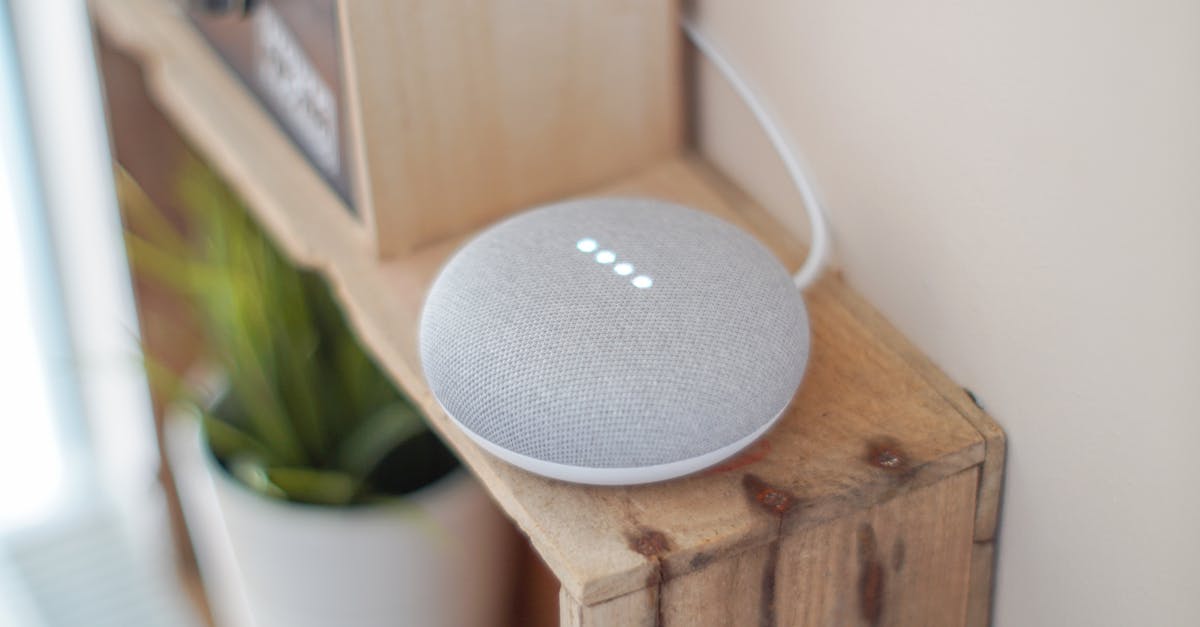
For years, my mornings were a chaotic symphony of alarms, forgotten tasks, and a frantic search for coffee. I’d hit snooze too many times, stumble to the kitchen, then remember I needed to check the weather, put on music, and maybe, just maybe, remember to water the plants. Like many, I’d seen the ads for voice assistants promising a seamlessly integrated smart home, a perfect start to the day. But could they really deliver on that promise for something as personal and often unpredictable as a morning routine? I decided to put it to the test: for one month, I committed to letting Alexa manage the critical elements of my morning.
My goal wasn’t just to replace manual actions with voice commands, but to genuinely streamline and simplify. I wanted to see if voice assistants could cut through the morning brain fog, reduce decision fatigue, and ultimately, make my mornings feel less like a race against the clock and more like a calm, productive start. What I discovered was a nuanced landscape of genuine convenience, unexpected friction, and a few game-changing insights that reshaped how I approach my smart home.
Key Takeaways
- Break down your morning into discrete, time-sensitive actions for effective voice assistant integration.
- Group unrelated tasks into single, custom routines to minimize voice commands and cognitive load.
- Use smart plugs for ‘dumb’ appliances to bring them into your voice-controlled morning ecosystem without replacing them.
- Prioritize ambient cues like smart lighting and audio over explicit spoken updates to create a smoother, less jarring experience.
The Fundamental Shift: From Individual Commands to Layered Routines
The biggest mistake I see most often when people first integrate voice assistants into their routine is treating them like a simple button replacement. They’ll say, “Alexa, turn on the kitchen lights,” then “Alexa, play my morning playlist,” then “Alexa, what’s the weather?” This quickly becomes tedious and defeats the purpose of ‘hands-free.’ What changed everything for me was embracing layered routines. Instead of individual commands, I built a single routine called “Good Morning” that triggered a cascade of actions.
My initial “Good Morning” routine was quite basic: turning on the kitchen lights to 50% brightness, starting a specific news podcast, and adjusting the thermostat. Within the first week, I realized this was only scratching the surface. I started thinking about the flow of my morning. What happened first? What could run concurrently? What did I actually need to hear versus what I just needed to happen? I learned to chain these actions not just sequentially, but logically. For instance, the routine now starts the coffee machine (via a smart plug), turns on a gentle lamp in the bedroom to help me wake up, then fifteen minutes later, fully brightens the kitchen, starts the news, and gives me a concise traffic update only if my commute is impacted. This layered approach reduced the number of times I spoke to Alexa from five or six down to a single phrase, making the whole process feel truly magical, not just automated.
The Power of the Ambient Cue: Light and Sound as Information Delivery
One of my early frustrations was the sheer amount of spoken information. “Alexa, tell me about my day,” often resulted in a verbose summary of calendar events I already knew, weather details I only needed to glance at, and news headlines that could wait. It felt like being lectured by a robot before I’d even had my first sip of coffee. I quickly discovered that ambient cues are far superior for delivering information subtly during the sensitive morning hours.
Instead of a verbal weather forecast, I set up my smart lights to subtly shift color based on the outdoor temperature. A cool blue for chilly mornings, a warm yellow for pleasant days, a flashing red if there was extreme weather. This gave me immediate, glanceable information without interrupting my thoughts. Similarly, for traffic, instead of Alexa announcing delays, I integrated a smart display (like an Echo Show) into my kitchen. My morning routine now pushes a traffic map to the display’s home screen, allowing me to visually assess my commute without any verbal prompts. For news, I still keep a brief news flash, but instead of a full podcast, I chose a short, curated daily briefing that lasts less than two minutes. The key here is to leverage visual and auditory feedback that informs without demanding direct attention, preserving the precious quiet of the morning.
Integrating ‘Dumb’ Appliances: Smart Plugs as the Unsung Heroes
When I first envisioned my smart morning, I thought I’d need to replace everything with expensive ‘smart’ versions. Smart coffee makers, smart toasters, smart kettles. In reality, smart plugs proved to be the most cost-effective and versatile upgrade. My trusty, non-smart coffee maker became fully voice-controlled with a $15 smart plug. The same went for my bedside lamp and even a small space heater in my office that I use on particularly cold mornings.
This simple addition allowed me to expand my “Good Morning” routine significantly without breaking the bank. My coffee starts brewing five minutes before my alarm goes off, a small lamp turns on gently, and on colder days, the office heater preheats. The trick is to ensure the physical switch on the appliance itself is always in the ‘on’ position. If it’s a coffee maker with a manual button, I leave that pressed, and the smart plug simply cuts and restores power. This low-tech integration allowed me to extend the reach of my voice assistant far beyond dedicated smart devices, making my entire routine more cohesive and truly automated.
The Art of the ‘One-Tap’ Routine: Consolidating Cognitive Load
Even with layered routines, there were still moments where I found myself thinking, “I wish I didn’t have to say anything.” This usually happened when I was running a bit late or simply didn’t want to engage verbally. That’s when I discovered the power of one-tap routines, accessible through the Alexa app or smart home control panels. While the voice command is great, having a physical button or a tap-to-activate option on my phone’s home screen for my main “Good Morning” routine was a game-changer.
In my experience, relying solely on voice commands can be limiting. There are days when I wake up before my alarm, or I have a guest staying over, and a spoken command feels awkward. By creating a shortcut button on my phone, I can initiate the entire morning sequence with a single tap, silently and discreetly. I also experimented with physical smart buttons (like the Flic button), placing one on my bedside table. A single press would trigger my pre-wake sequence (gentle lights, quiet meditation music), and a double press would kick off the full “Good Morning” routine. This multi-modal approach acknowledges that not every interaction needs to be spoken, providing flexibility and reducing cognitive load during those groggy moments.
Troubleshooting and Optimization: The Continuous Refinement Loop
Setting up a voice assistant routine isn’t a ‘set it and forget it’ process. Over the month, I engaged in a continuous refinement loop, identifying friction points and optimizing. For example, my initial news briefing was too long, making me impatient. I swapped it for a shorter one. The kitchen lights at 100% felt too jarring; I adjusted them to 70% and added a gradual ramp-up. The coffee sometimes cooled too much; I adjusted the smart plug timer by two minutes.
I also learned the importance of naming routines intuitively and uniquely. My first routine was simply “Morning.” But when I added a “Good Morning” routine for guests, Alexa would get confused. Renaming my primary routine to “My Day Starts” eliminated this ambiguity. Furthermore, I set up a secondary routine called “Leaving Home” that would turn off all lights, lock the front door (smart lock integration), and arm my security system. This simple habit, triggered by a single phrase, ensured I never left the house wondering if I’d forgotten something crucial. The key is to be patient, observe your own habits and reactions, and be willing to tweak and refine. This iterative process is where the true power of smart home automation reveals itself.
Frequently Asked Questions
Q: What is the best voice assistant for morning routines?
A: While I used Alexa, Google Assistant offers similar capabilities for routines. The ‘best’ depends on your existing smart home ecosystem, personal preference for voice command phrasing, and integration with other devices (e.g., Nest products with Google, Ring/Echo with Alexa). Both are robust choices for building complex morning routines.
Q: Can voice assistants replace my traditional alarm clock?
A: Yes, absolutely. You can set alarms directly through your voice assistant, including recurring alarms and alarms that play specific music or news briefings. Many smart displays (like the Echo Show or Google Nest Hub) also offer ‘sunrise’ alarms, gradually brightening the screen before the alarm sounds, simulating a natural wake-up.
Q: How do I ensure my smart home routines are secure?
A: Security is paramount. Always use strong, unique passwords for your voice assistant account and any connected smart home devices. Enable two-factor authentication (2FA) wherever possible. Regularly check the privacy settings of your voice assistant and linked apps, and be mindful of the permissions you grant to third-party skills or actions. Smart locks and security cameras should have their own robust security protocols, separate from your general routines.
Q: What if my internet goes out? Will my morning routine still work?
A: This depends on the specific devices and routines. Many voice assistant commands rely on cloud processing, so an internet outage would prevent most routines from running. However, some smart home hubs offer local processing capabilities for basic actions (like turning on lights) even without internet. For critical functions like alarms, dedicated smart devices (e.g., a smart alarm clock) often have local backup functions.
Q: Can I use voice assistants to manage my entire day, not just the morning?
A: Definitely. The principles of layered routines, ambient cues, and smart plug integration can be applied throughout your day. You can create routines for leaving home, returning, winding down in the evening, or specific tasks like cooking, cleaning, or entertainment. The key is to identify repetitive actions or information needs and automate them thoughtfully.
My month with an Alexa-powered morning routine fundamentally changed how I start my day. It wasn’t about simply replacing manual tasks with spoken words; it was about intelligently orchestrating a series of actions that truly reduced friction and created a calmer, more informed beginning. The initial setup requires some thought and iteration, but the payoff in mental space and streamlined efficiency is well worth the effort. My advice? Start small, observe your habits, and don’t be afraid to experiment. You might just find your perfect morning symphony is only a voice command away.