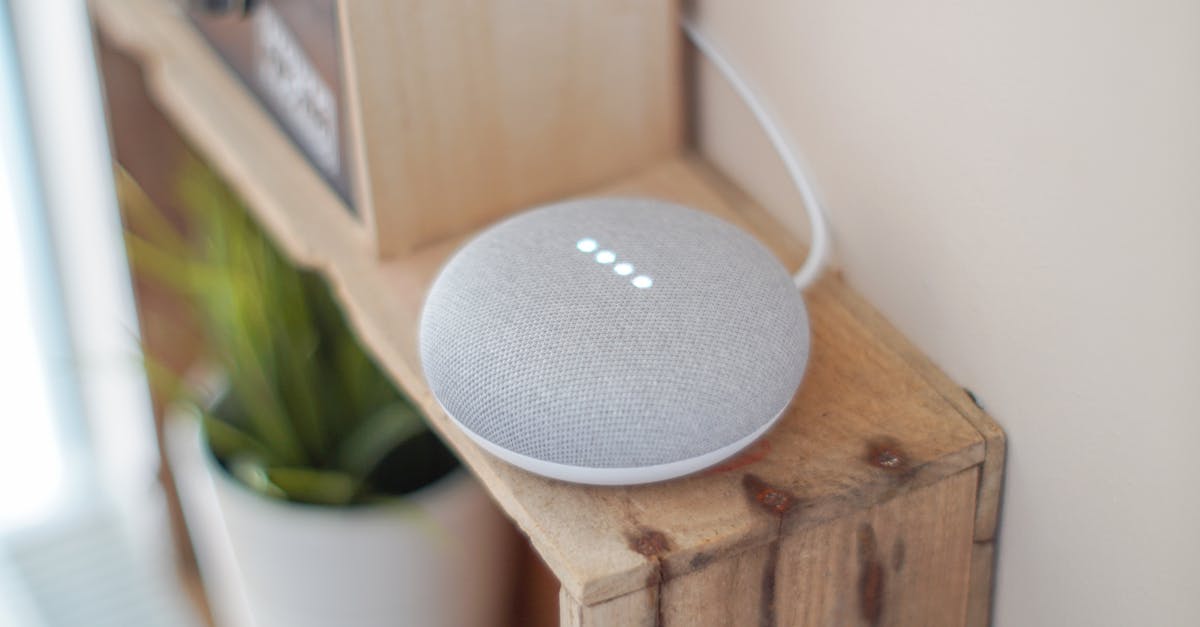
The subtle hum of smart speakers in our homes has become as common as the refrigerator’s whir, but for many, it carries a silent question: Is it always listening? When I first started integrating voice assistants into my own home, the idea of having an ‘always-on’ microphone felt futuristic, yet also deeply unsettling. I remember debating with friends over dinner about whether our devices were secretly recording our conversations, or merely waiting for a wake word. This isn’t just a paranoid thought; it’s a genuine concern about privacy versus convenience that every smart home owner eventually grapples with.
The industry has responded in two primary ways: offering devices with ‘always-on’ hotword detection, where the device constantly processes audio locally to detect its wake word, and devices with physical mute buttons or toggles that completely cut off the microphone’s power. While the former promises seamless interaction, the latter offers an undeniable sense of security. But which approach truly serves your needs better in the messy reality of daily living?
I’ve spent years living with both types of devices, from early smart speakers that had no physical controls to advanced models with clear, tactile mute switches. What I’ve found is that the ‘ideal’ solution isn’t universal; it depends heavily on your lifestyle, your home’s dynamics, and your personal threshold for digital intrusion. The mistake I see most often is users blindly adopting one approach without understanding its full implications. What changed everything for me was recognizing that each method comes with its own set of practical compromises that often go unexamined.
Key Takeaways
- Always-on hotword detection offers seamless interaction but introduces a persistent, albeit small, privacy risk that many users misunderstand.
- Physical microphone toggles provide an absolute privacy guarantee by cutting power to the mic, but sacrifice instant voice assistant access.
- The choice between these two approaches should be driven by your home’s specific usage patterns and your individual comfort with background listening.
- Understand that even with always-on listening, audio is typically processed locally and briefly, not streamed, until the hotword is detected.
The Allure and Underbelly of Always-On Listening
When I first got my hands on a smart speaker that boasted always-on hotword detection, the convenience was intoxicating. No more fumbling for my phone or pressing buttons to activate a voice command; a simple ‘Hey [Assistant Name]’ from across the room, even mid-conversation, was all it took. This seamless interaction is the primary selling point for manufacturers, and initially, it’s what hooked me. I could dim the lights while kneading dough, check the weather while getting dressed, or add items to my shopping list without interrupting my flow. For busy households, this frictionless experience can genuinely enhance daily efficiency.
However, the ‘always-on’ nature also brings a persistent, subtle hum of anxiety for many. The core functionality relies on the device constantly listening for a specific acoustic pattern – the ‘hotword’ or ‘wake word.’ This process happens entirely on the device itself. Imagine a tiny, dedicated chip inside your smart speaker that’s constantly running a very specific algorithm, like a digital bouncer at a club, only letting in sounds that match its VIP list. If a sound doesn’t match the hotword, it’s immediately discarded. Only when it ‘hears’ something it thinks is the hotword does it then record a short snippet of audio and send it to the cloud for further processing and to fulfill your request. This distinction is crucial: it’s not recording everything and sending it to the cloud.
My personal experience with always-on devices has been a mixed bag. On one hand, the utility during hands-on tasks is undeniable. When I’m cooking, covered in flour, being able to set a timer with just my voice feels like magic. On the other hand, there’s the occasional ‘false positive’ – when the device activates because it misinterprets background noise, a TV show, or even a similar-sounding word. While rare, these moments are stark reminders of its constant vigilance, and they can be jarring. I recall one instance where a character in a movie said a phrase that sounded eerily like my assistant’s hotword, and suddenly, it chimed in, asking ‘How can I help?’ These instances, though infrequent, do chip away at the feeling of complete privacy, prompting a momentary self-consciousness about what was just said before the activation. It’s a small invasion, but it’s an invasion nonetheless, often leading me to manually mute the device if I’m having a sensitive conversation or watching a particularly immersive film.
The Unwavering Security of Physical Mute Toggles
Contrast the always-on approach with devices equipped with physical microphone toggles. These aren’t just software switches; they’re hardware disconnects that physically cut the power to the microphone. When you flip that switch, the microphone is electrically isolated, rendering it completely incapable of capturing any audio. This provides an absolute, unshakeable guarantee of privacy. There’s no algorithm running, no local processing, no risk of false positives, and absolutely no chance of audio being recorded or sent to the cloud, accidentally or otherwise. For many, this tangible security is non-negotiable.
My primary smart speaker in the living room now features such a toggle, and I find myself using it frequently. During family gatherings, when personal stories are shared, or when discussing sensitive financial matters, the physical mute button offers immediate peace of mind. I don’t have to wonder if a background laugh or a television snippet will inadvertently activate the device. The visual indicator – usually a bright red light or a distinct icon – serves as a clear, unmistakable signal that the microphone is off. This transparency builds trust in a way that software-only solutions simply cannot.
However, this robust security comes at a clear cost: convenience. When the microphone is physically off, the voice assistant is, by definition, deaf. This means if I want to issue a command, I first have to walk over to the device and flip the switch back on. There have been countless times where I’ve started a voice command only to be met with silence, remembering mid-sentence that I had muted it. It’s a small friction point, but it’s a friction point nonetheless. In the kitchen, where my hands are often occupied, it can be a genuine annoyance. My partner and I have developed a habit of explicitly stating, ‘Remember, the assistant is off!’ before sensitive conversations, and ‘Turning the assistant back on!’ afterward, just to manage expectations and avoid frustration. It’s a trade-off that requires conscious effort and a slight re-calibration of our smart home habits.
Understanding the Technical Nuance: Local vs. Cloud Processing
The fundamental distinction between always-on hotword detection and a physical mute toggle often hinges on a misunderstanding of how voice assistants actually ‘listen.’ It’s not a binary ‘on or off’ for cloud recording, but rather a staged process that starts locally.
When a device has ‘always-on’ hotword detection, it means a highly optimized, low-power processing unit on the device itself is constantly analyzing incoming audio for the specific acoustic signature of its wake word (e.g., ‘Hey Alexa,’ ‘OK Google,’ ‘Siri’). This local processing is incredibly efficient and does not send any audio data to the cloud. Think of it as a very specialized sound filter. Only when this local processor detects what it believes to be the hotword does it then activate the main processor, begin recording a short snippet of audio (typically a few seconds before and after the hotword), and send that specific snippet to the cloud for full speech-to-text conversion and command fulfillment. This is a critical technical detail that often gets lost in the broader privacy debate.
My initial misconception, shared by many, was that ‘always-on’ meant everything I said was being streamed to Amazon, Google, or Apple. Learning about the local processing of hotwords was a game-changer for my comfort level. It doesn’t eliminate all concerns, but it reframes the risk. The small risk with always-on listening is primarily related to false positives: when the device mistakenly detects a hotword and sends a snippet of non-command audio to the cloud. These incidents are rare, and companies typically use these false positives to improve their hotword detection algorithms. I’ve personally reviewed the audio history provided by my smart assistant’s app and found only a handful of false activations over several years, usually short and unintelligible snippets. However, that still means some unintended audio briefly left my home.
Conversely, a physical mute toggle bypasses this entire discussion. When the power to the microphone is cut, there’s no local processing, no hotword detection, and no possibility of any audio, intended or unintended, being captured or sent anywhere. It’s a complete physical disconnect, offering zero ambiguity about its state. This makes it the only truly 100% secure option if your absolute priority is preventing any form of microphone activity.
Matching Your Choice to Your Home and Habits
After years of living with various smart home setups, my strongest advice is to match your device choice to your specific home environment and personal habits, rather than relying on a blanket assumption. There’s no one-size-fits-all answer, and making the wrong choice can lead to either persistent privacy anxiety or frustrating inconvenience.
Consider your home’s layout and usage. In my open-plan living and kitchen area, where I’m constantly moving and often have my hands full, the convenience of an always-on device (like a smart display on the counter) is invaluable. I’m less likely to mute it there because the constant interaction outweighs the minimal perceived privacy risk from occasional false positives. I’ve accepted that this device is primarily for quick, functional commands in a high-traffic area. I manage the privacy aspect by being mindful of its placement – not directly facing a sensitive area, and occasionally reviewing my voice history in the app.
Conversely, in bedrooms or private offices, where sensitive conversations occur, or where I simply desire complete quiet without the thought of being overheard, a device with a physical mute toggle is essential. My bedroom smart speaker is almost always muted, only activated when I specifically want to set an alarm or play white noise. The added step of unmuting it is a small price to pay for the assurance that my private space remains truly private. I don’t need instant voice commands there; I need peace of mind.
Also, think about the other inhabitants of your home. If you have young children, they might accidentally trigger hotwords more frequently, or you might prefer tighter control over listening capabilities for their safety and privacy. Elderly family members might find a physical button simpler to understand and trust than a flashing light indicating ‘muted.’ The dynamics of multiple users, each with varying tech savviness and privacy concerns, should heavily influence your decision. In my house, with kids who sometimes shout commands at the device, I appreciate the physical mute when they’re having private video calls with friends.
The Hybrid Approach: Integrating Both for Optimal Living
What I’ve found to be the most practical and satisfying solution for my own smart home is a hybrid approach, leveraging both types of devices where they make the most sense. This allows me to enjoy the significant benefits of voice control without constantly compromising on privacy.
My strategy involves strategic placement. For high-utility, low-privacy-risk areas like the kitchen or living room, I opt for devices with always-on hotword detection. These are typically the most frequently used voice assistants for common commands: timers, music, weather, quick facts, and smart home control. I accept the very minor risk of a false positive in these communal spaces in exchange for immediate access and convenience. I also make sure these devices are positioned away from direct sightlines of private spaces or areas where sensitive conversations are most likely to occur.
For truly private spaces, such as bedrooms, home offices, or a dedicated reading nook, I prioritize devices with a physical microphone mute button. Here, the potential for sensitive conversations or simply a desire for undisturbed solitude makes the absolute privacy guarantee of a physical toggle far more valuable than instant voice activation. I consciously trade a sliver of convenience for a full measure of peace of mind. For example, my smart display in the office, used for video calls, has a clear physical mute that I engage immediately after calls or during sensitive work. If I need the assistant, a quick flick of the switch is a small price to pay.
This hybrid strategy isn’t just about device selection; it’s about intentional usage. It acknowledges that not all spaces in your home carry the same privacy implications, and not all interactions demand the same level of convenience. By being deliberate about where and how you deploy your voice assistants, you can create a smart home environment that is both remarkably convenient and genuinely respectful of your privacy. It’s about finding that sweet spot where technology serves you, rather than you serving its demands for constant access.
Frequently Asked Questions
Do ‘always-on’ smart speakers constantly record everything I say?
No. Smart speakers with ‘always-on’ hotword detection only process audio locally on the device to listen for their specific wake word (e.g., ‘Hey Alexa’). They do not record and send all your conversations to the cloud. Only when the wake word is detected (or sometimes mistakenly detected) is a short audio snippet recorded and sent for cloud processing.
How effective are physical mute buttons on smart speakers?
Physical mute buttons are highly effective. They typically act as a hardware disconnect, physically cutting the power to the microphone. This means no audio can be captured, processed locally, or sent to the cloud, providing a 100% guarantee of privacy from the device’s microphone when engaged.
Can my smart speaker still ‘listen’ if it’s on mute but has power?
If a smart speaker has a true physical mute button that cuts power to the microphone, then no, it cannot listen, even if it’s powered on. However, if it’s a software-only mute (less common on dedicated smart speakers), there’s a theoretical, albeit extremely unlikely, risk of a software bug or hack bypassing it. Always look for devices with a clear, tactile physical switch and a visual indicator (like a red light) for true peace of mind.
Do voice assistants learn from my conversations even when not activated?
Voice assistants primarily learn and improve from the audio snippets that are sent to the cloud after a hotword detection (either accurate or false positive). They do not learn from background conversations that are only processed locally for hotword detection and then discarded. The data used for learning is the specific commands you issue and the occasional accidental activations.
What are ‘false positives’ and how often do they occur?
False positives occur when a smart speaker mistakenly hears its hotword in background noise, TV dialogue, or similar-sounding phrases, and then activates. In my experience, these are rare events, perhaps a few times a month at most, depending on background noise levels. While not a direct privacy breach in the sense of continuous recording, they do send a short, unintended audio snippet to the cloud for analysis, which can be disconcerting.
Conclusion
The choice between an always-on voice assistant and one with a physical mute toggle is more than just a technical decision; it’s a personal one that reflects your comfort with omnipresent technology in your most intimate spaces. While the convenience of hands-free interaction is undeniably appealing, the peace of mind offered by a definitive ‘off’ switch holds significant weight for many. My journey through various smart home setups has taught me that the most effective approach is often a hybrid one: embracing always-on where convenience is paramount and privacy risks are low, and rigorously enforcing a physical mute where discretion is critical. Ultimately, understanding how these devices listen, and then aligning that knowledge with your home’s unique rhythm and your personal privacy values, is the true path to building a smart home that genuinely enhances, rather than complicates, your life. Take the time to assess each room in your home and decide what level of vigilance—and convenience—you truly need. Your smart home should adapt to your life, not the other way around.