When I first dipped my toes into the smart home world, the marketing promised a world of effortless convenience. Lights would dim with a whisper, doors would lock themselves as I left, and music would follow me from room to room. The reality, for many, is a frustrating tangle of apps, unresponsive devices, and fragmented experiences. The biggest misconception I’ve encountered, both personally and through countless reader inquiries, is the idea that smart home simplicity is an inherent feature. It’s not. True simplicity in a smart home is engineered through careful planning, thoughtful integration, and an understanding of how devices truly interact (or often, fail to interact) across different platforms.
My journey began with a single smart bulb, quickly followed by a smart plug, then a voice assistant. Each promised to solve a small pain point, but soon I had a collection of isolated islands of ‘smartness’ in my home, each requiring its own app and set of rules. The real magic didn’t happen until I stopped treating each device as a standalone solution and started thinking about them as components of a larger, interconnected system. This shift in perspective, from buying gadgets to building an ecosystem, is what truly unlocks the promised smart home simplicity.
Key Takeaways
- Achieving true smart home simplicity requires intentional planning and a holistic integration strategy, not just collecting devices.
- Relying solely on device manufacturers’ apps leads to fragmentation; a central smart home hub or platform is crucial for unified control.
- Consolidating voice assistants and standardizing connectivity protocols (like Zigbee or Z-Wave) minimizes conflicts and improves responsiveness.
- Prioritize a few impactful, interconnected automations over a multitude of isolated, minor smart functions for a genuinely effortless experience.
The Pitfall of App-Hopping: Why More Devices Don’t Mean More Smart
The most common mistake I see beginners make is assuming that adding more smart devices automatically translates to a smarter home. What typically happens is the exact opposite: they end up with a dozen different apps, each controlling a different aspect of their home. A smart bulb from Brand A, a smart plug from Brand B, a thermostat from Brand C – each with its own interface, its own login, and its own set of incompatible rules. This isn’t simplicity; it’s digital clutter.
In my own home, the turning point came when I realized I was spending more time opening various apps to adjust things than I ever did with traditional switches. For instance, I had smart bulbs from three different manufacturers in my living room. Changing the color temperature meant opening three separate apps, waiting for each to connect, and then making individual adjustments. The ‘smart’ aspect was gone; it was an exercise in frustration. What changed everything for me was consolidating control through a central hub or platform. Whether it’s a dedicated smart home hub like SmartThings, a robust voice assistant platform like Amazon Alexa or Google Home (used as a primary orchestrator), or even a DIY solution like Home Assistant, bringing all devices under one roof is non-negotiable for true simplicity. This allows for unified control, cross-device automations, and a single point of interaction, eliminating the endless app-hopping that saps the joy out of smart home ownership.
The Protocol Predicament: Why Wi-Fi Isn’t Always the Smartest Choice
Many entry-level smart devices tout Wi-Fi connectivity as a major selling point because it means no extra hardware like a hub. While convenient for a single device, a house full of Wi-Fi smart gadgets quickly becomes a recipe for network congestion and unreliable performance. Each Wi-Fi device demands its own IP address and competes for bandwidth, slowing down your entire home network, especially in larger homes or those with many streaming devices.
In my initial setup, I had several Wi-Fi smart bulbs that would occasionally drop offline or respond with agonizing slowness. Imagine telling your voice assistant to turn on the lights, only for a five-second delay to ensue. It’s enough to make you just flip the manual switch. The mistake I see most often is neglecting the underlying communication protocols. What changed everything for me was strategically adopting Zigbee and Z-Wave devices for essential functions. These protocols operate on their own dedicated mesh networks, separate from your Wi-Fi, offering several benefits:
- Reliability: Devices form a mesh, meaning each device can relay signals, extending the network’s reach and improving stability.
- Efficiency: They use very little power, leading to longer battery life for sensors and less strain on your electrical system.
- Scalability: You can add many more devices without bogging down your Wi-Fi network.
Yes, this often requires a hub that supports these protocols (many voice assistant hubs like Amazon Echo Show models include Zigbee), but the investment pays dividends in responsiveness and stability. Reserve Wi-Fi for devices that truly need its bandwidth, like security cameras or smart TVs, and use dedicated smart home protocols for lighting, sensors, and locks.
The Voice Assistant Vortex: One Commander, Not Many Councils
Voice assistants are often pitched as the ultimate simplification tool. And they can be. But only if managed correctly. The allure of having Alexa, Google Assistant, and Siri all vying for attention can quickly lead to what I call the ‘voice assistant vortex’ – a confusing cacophony of overlapping commands and competing integrations.
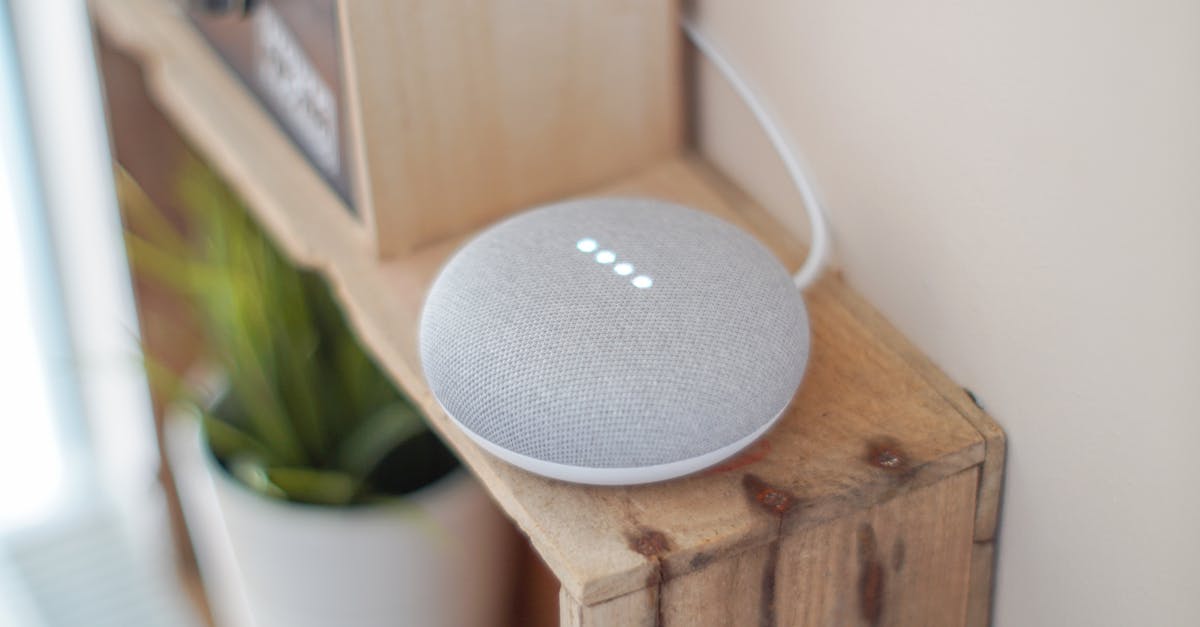
Early on, I had both an Alexa Echo and a Google Home Mini in my kitchen, thinking it would offer more flexibility. Instead, I frequently found both responding to my commands, sometimes simultaneously, leading to comical but frustrating situations where one would comply while the other played a random song. The mistake I see most often is allowing multiple voice assistants to control the same set of devices without a clear primary. What changed everything for me was designating a single primary voice assistant for command and control of the entire smart home ecosystem. While I might still use Siri on my iPhone for quick tasks, my home’s lighting, climate, and security are exclusively managed by one chosen platform. This not only avoids conflicts but also streamlines the setup of routines and automations. It’s about having one trusted general, not a council of squabbling advisors, orchestrating your smart home.
Automation Overload: The Danger of Too Many ‘Smart’ Rules
Automations are the true heart of smart home simplicity – the ability for devices to react intelligently without your direct input. But like any powerful tool, they can be overused or poorly conceived, leading to what I term ‘automation overload.’ This happens when you create so many intricate rules that they start conflicting, becoming unpredictable, or simply adding unnecessary complexity.
I once set up an elaborate automation where my entryway lights would turn on when a motion sensor detected movement, but only after sunset, and only if no one was home, and only if the living room lights were off, and… you get the picture. It worked maybe 70% of the time, and the other 30% was spent troubleshooting or manually overriding. The mistake I see most often is prioritizing quantity over quality in automations. What changed everything for me was focusing on a few high-impact, reliable automations that genuinely improve daily life. Think about routines that solve recurring pain points:
- Good Morning: Lights gradually brighten, thermostat adjusts, news plays softly.
- Good Night: All lights off, doors lock, thermostat set to sleep mode.
- Arrival Home: Exterior lights on, certain interior lights on, smart lock disarms.
- Leaving Home: All lights off, doors lock, thermostat set to away mode.
Start small, test rigorously, and expand only when a new automation truly adds value without creating headaches. A smart home should fade into the background, working seamlessly without constant intervention. If you’re constantly troubleshooting, you’ve over-automated.
The Upgrade Treadmill: Buying for Features, Not Ecosystem Compatibility
The smart home market is constantly evolving, with new devices and features emerging all the time. This constant churn can lead to what I call the ‘upgrade treadmill’ – buying new devices purely for novel features, without considering how they fit into your existing ecosystem. This often results in incompatible devices, redundant functionality, and ultimately, a less simple smart home.
I’ve been guilty of this myself, purchasing a new smart switch because it promised slightly faster dimming, only to realize it used a different protocol than my existing setup and required a whole new bridge. The mistake I see most often is impulse buying based on a single feature rather than evaluating long-term compatibility. What changed everything for me was developing a ‘compatibility-first’ mindset for all new smart home purchases. Before I even consider a device, I ask:
- Does it integrate seamlessly with my chosen primary smart home platform (e.g., Alexa, Google Home, SmartThings)?
- Does it use a communication protocol (Zigbee, Z-Wave, Thread) that is already supported by my hub, or does it bring a new, undesirable Wi-Fi burden?
- Does it genuinely add new functionality or simply replicate what I already have with more complexity?
By adhering to this discipline, I’ve built a truly integrated and simple smart home that just works, rather than a collection of disconnected gadgets. It’s not about having the latest and greatest of everything, but about having a cohesive system that serves your needs reliably.
Frequently Asked Questions
Do I really need a smart home hub? Can’t I just use Wi-Fi devices?
While many smart devices connect directly via Wi-Fi, relying solely on them can lead to network congestion, slower responses, and fragmented control across multiple apps. A smart home hub (or a voice assistant like an Amazon Echo that includes a Zigbee hub) acts as a central coordinator, allowing devices using different protocols (like Zigbee or Z-Wave) to communicate efficiently, improving reliability, speed, and overall simplicity. It consolidates control and enables complex automations more effectively.
How do I choose the best smart home platform for simplicity?
The best platform depends on your existing ecosystem and preferences. Popular choices include Amazon Alexa, Google Home, Apple HomeKit, and Samsung SmartThings. I recommend sticking to one primary platform for most of your core automations and device control. Consider which voice assistant you use most, which devices you already own, and which platform offers the broadest compatibility for devices you might want to add in the future.
My smart lights are slow to respond. What’s the common fix?
Slow response times often stem from Wi-Fi congestion or an overloaded network. If your smart lights are Wi-Fi-based, try reducing the number of other Wi-Fi devices on your network, or consider switching to Zigbee or Z-Wave smart lighting, which operate on a dedicated mesh network. Ensuring your Wi-Fi router is up to date and strategically placed can also help improve performance for Wi-Fi devices.
How many automations should I set up to avoid complexity?
Start with a few high-impact automations that address daily routines (e.g., ‘Good Morning’ or ‘Good Night’ scenes). Test these thoroughly to ensure they work reliably. Avoid creating overly complex, conditional automations initially. A smart home should feel effortless; if you’re constantly troubleshooting, you’ve added too much complexity. Aim for quality and reliability over quantity.
Is it possible to integrate devices from different brands or ecosystems?
Yes, but it requires a strategic approach. A central smart home hub or platform (like SmartThings, Home Assistant, or even a robust voice assistant platform) is key to bridging different brands and protocols. Many devices are compatible with major voice assistants, allowing you to control them from a single interface. However, some deep integrations might require third-party tools or more advanced DIY setups.
Ultimately, a truly simple smart home isn’t bought off the shelf; it’s meticulously built and refined. It’s about asking the right questions before you buy, understanding the nuances of connectivity, and prioritizing seamless experiences over flashy features. My own journey from fragmented frustration to effortless control has taught me that the effort you put into thoughtful integration upfront pays dividends in daily convenience and genuine smart home simplicity.