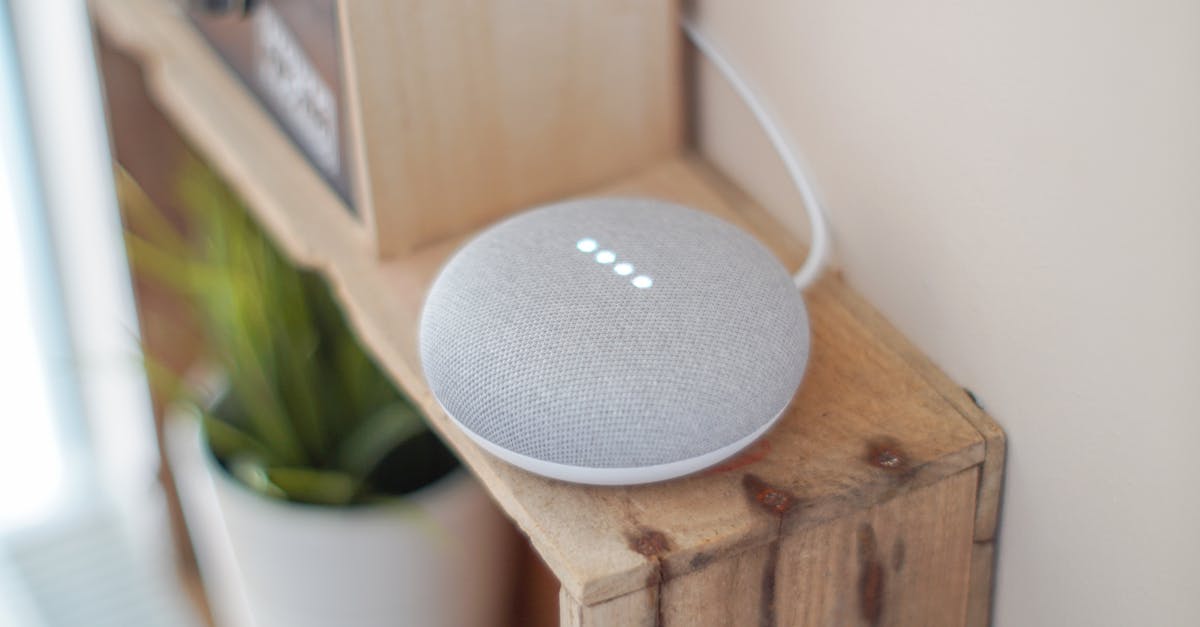
The promise of smart speakers is simple: effortless control and rich audio, all from a discreet device. But if you’re like many users, you might find your music sounding a bit… flat, or your voice commands often misunderstood. I’ve heard countless complaints from friends and readers about their smart speaker, a high-end model costing hundreds, failing to deliver the expected crisp sound or reliable voice interaction. The common assumption is a faulty device or a poor Wi-Fi connection, but in my experience, the mistake I see most often is far simpler and entirely within your control: poor speaker placement.
It’s easy to plop a smart speaker on any available surface. A kitchen counter, a bedside table, a bookshelf. But these seemingly innocuous locations can severely impact performance. Think about it: a speaker needs to project sound into a room and capture your voice from anywhere within it. Obstacles, reflective surfaces, and even the type of material your speaker rests on can drastically diminish its capabilities. This isn’t just about optimal sound; it directly affects the device’s ability to hear you, leading to frustrating repeat commands and a diminished smart home experience. What changed everything for me was a systematic approach to placement, prioritizing acoustics and accessibility, rather than just aesthetics.
Key Takeaways
- Avoid placing smart speakers in enclosed spaces like cabinets or tight corners to prevent muffled audio.
- Position speakers away from walls and reflective surfaces to reduce sound distortion and enhance clarity.
- Elevate smart speakers to ear level or higher to improve sound dispersion and voice command reception.
- Consider the material of the surface a speaker rests on, as it can significantly affect bass and overall sound quality.
Walls and Corners Turn Good Sound into Mud
One of the most common and detrimental placement errors is pushing your smart speaker tight against a wall or into a corner. While this might save space or feel aesthetically neat, it’s a death sentence for audio quality. The physics are straightforward: sound waves emanate from the speaker, and when they immediately hit a nearby solid surface, they reflect back, interfering with subsequent waves. This phenomenon, known as ‘boundary gain’ or ‘corner loading,’ artificially boosts bass frequencies to an unnatural and boomy degree, while simultaneously muddying the mid-range and treble.
In my own home, when I first set up a new smart speaker, I initially placed it on a small shelf tucked neatly into a corner of my living room. I thought it looked good there, out of the way. However, the music, particularly anything with a prominent bassline, sounded incredibly distorted and ‘heavy,’ drowning out vocals and instruments. My commands often required me to shout or repeat myself. The moment I pulled it about six inches away from the back wall and a foot from the side wall, the improvement was immediate and dramatic. The bass tightened up, the vocals became clearer, and the overall soundstage opened up significantly. More importantly, the microphone array could now discern my voice from across the room without me raising my voice. Most smart speakers are designed to perform best with some breathing room. A general rule of thumb I follow is to keep the speaker at least 6-12 inches away from any wall and, if possible, not directly in a hard corner. This simple adjustment allows the sound waves to develop naturally before encountering reflective surfaces, leading to a much more balanced and enjoyable listening experience.
Cluttered Surfaces Create Acoustic Chaos
A smart speaker isn’t just a gadget; it’s a mini sound system, and like any audio equipment, its performance is highly sensitive to its immediate environment. Placing it on a cluttered surface, surrounded by books, decorative items, or even soft fabrics, can significantly degrade sound quality and hinder voice recognition. These objects act as acoustic obstacles, absorbing, reflecting, and diffusing sound waves in unpredictable ways. Soft materials, in particular, can absorb higher frequencies, making your music sound dull and lifeless, while hard objects can create unwanted reflections.
I learned this lesson the hard way in my home office. My desk, like many, is a functional chaos of monitors, notebooks, and various tech accessories. My smart speaker sat amidst this assortment. Music often sounded muffled, and podcast voices lacked presence. Even more frustrating, my voice assistant struggled to pick up my commands, especially if I was facing away from the speaker, buried in work. The microphones, designed to capture sound from all directions, were being obstructed and confused by the surrounding clutter. To resolve this, I invested in a simple, minimalist stand that elevated the speaker above the desk clutter. The difference was night and day. Not only did the audio quality improve, with clearer vocals and better instrument separation, but the voice assistant’s responsiveness skyrocketed. It was as if the speaker could finally ‘see’ and ‘hear’ the room properly. By giving your smart speaker its own dedicated, uncluttered space, you allow its carefully engineered microphones and speakers to perform as intended, resulting in a more reliable and immersive experience.
Low and Obscured Positions Miss the Mark
The placement of your smart speaker isn’t just about avoiding acoustic interference; it’s also crucial for optimizing its ability to hear your voice commands and project sound effectively throughout the room. Placing a speaker too low, such as on the floor or a very low shelf, or in an obscured location behind furniture, severely limits its functionality. Sound, especially higher frequencies, travels best when unobstructed, and microphone arrays are most effective when they have a clear ‘line of sight’ to your voice.
I once helped a friend troubleshoot his smart speaker, which he had placed on the bottom shelf of a large entertainment unit, practically hidden behind a stack of magazines. His primary complaint was that he had to be directly in front of it and speak loudly for it to register commands, rendering much of its ‘smart’ functionality useless. The sound, too, was noticeably weak and lacked any sense of spaciousness, seeming to just emanate from the floor. This position effectively created a sonic shadow, preventing sound from dispersing evenly and making it incredibly difficult for the speaker’s microphones to pick up ambient sound, let alone a clear voice command. My recommendation, which he eventually adopted, was to move it to a higher shelf, closer to ear level. Instantly, the sound filled the room more naturally, and he could issue commands from his couch without shouting. Aiming for a height roughly equivalent to where you typically listen from (e.g., ear level when sitting) or even slightly higher, like on a mantelpiece or a dedicated speaker stand, is generally a good strategy. This elevation allows the sound to travel further and the microphones to have a much better chance of capturing your voice, even from a distance.
The Wrong Surface Material Can Sabotage Sound
The material of the surface upon which your smart speaker rests can profoundly impact its audio output, particularly the bass response. Hard, resonant surfaces like thin wooden shelves or hollow plastic tables can introduce unwanted vibrations and coloration to the sound, making it boomy or muddy. Conversely, overly soft or absorbent surfaces can dampen the sound, making it lack energy and definition. It’s a subtle detail, but one that can significantly detract from the listening experience.
For a long time, my smart speaker sat directly on a hollow, pressed-wood bedside table. I noticed that when listening to music, particularly anything with strong low-end frequencies, the bass felt less like clean, punchy notes and more like a pervasive hum. It vibrated the table itself, creating a muddy resonance that blurred the entire sound spectrum. It wasn’t until I experimented with placing a small, dense foam isolation pad underneath the speaker that I realized the extent of the problem. The pad decoupled the speaker from the table, preventing the vibrations from transferring. The bass immediately became tighter, more defined, and less overwhelming. The overall clarity of the music improved dramatically. While dedicated isolation pads are a great solution, even something as simple as a thick cork mat or a heavy stone coaster can make a noticeable difference by providing a more stable, less resonant foundation for your speaker. Pay attention to how your smart speaker sounds on different surfaces. If the bass feels uncontrolled or the overall sound seems distorted, the surface material might be the culprit.
Too Far or Too Close Impairs Voice Control
While good acoustics are vital for sound quality, the primary interaction with a smart speaker is often through voice. Therefore, its proximity to your usual speaking positions is paramount. Placing the speaker too far away, in another room, or too close where constant ambient noise might interfere, will significantly impair its ability to understand your commands, leading to frustration and underutilization.
I often see users place their smart speaker in a central hallway, thinking it will serve multiple rooms. While logical in theory, in practice, it often fails. In my own testing, a speaker in a central hallway, approximately 20 feet from my living room couch and 15 feet from my kitchen, frequently missed commands. I’d have to raise my voice considerably, sometimes multiple times, for it to respond. The distance, combined with various household noises (dishwasher running, TV on), made accurate voice recognition a challenge. Conversely, I also encountered issues when I tried placing a speaker directly next to my computer monitor; the fan noise and speaker output from the PC constantly interfered, leading to false activations and missed commands.
The sweet spot depends on your room layout, but a good rule is to place the speaker within a clear voice range of your primary interaction points, typically 10-15 feet. For larger open-plan areas, consider multiple speakers strategically placed. For areas with high ambient noise, ensure the speaker is close enough to your voice to overcome background sounds. This balance ensures your smart speaker is truly responsive and a helpful assistant, rather than a temperamental gadget.
Frequently Asked Questions
How far should a smart speaker be from a wall?
Ideally, a smart speaker should be placed at least 6-12 inches away from any wall. This distance prevents sound waves from reflecting back immediately, which can cause boomy bass and muffled mid-range frequencies, leading to clearer, more balanced audio.
Can I put my smart speaker in a cabinet or on a bookshelf?
It’s best to avoid placing smart speakers in enclosed spaces like cabinets or tight bookshelf compartments. These locations trap sound, leading to severely muffled audio and hindering the microphone’s ability to hear your voice commands effectively. Give your speaker some open air to perform optimally.
What is the best height for a smart speaker?
The ideal height for a smart speaker is generally around ear level when you are typically listening, such as sitting on a couch. This allows sound to disperse more effectively across the room and ensures the microphone array has a clear path to pick up your voice commands from various positions.
Does the surface material under a smart speaker matter?
Yes, the surface material can significantly impact sound quality. Hard, hollow surfaces can vibrate and add unwanted resonance, making bass sound muddy. Soft, dense materials like cork or foam can help isolate the speaker, leading to cleaner, more defined audio. Experiment to find what works best in your space.
How many smart speakers do I need for a large room?
For very large or open-plan rooms, a single smart speaker may struggle to fill the space with sound or reliably pick up commands from all areas. Consider placing two or more speakers strategically, perhaps in opposite corners or at different interaction points, to create a more consistent audio experience and reliable voice control throughout the entire area.
Optimal smart speaker placement isn’t rocket science, but it does require a bit of intentionality. Moving your device a few inches, elevating it, or simply clearing its immediate surroundings can transform your smart home experience. Don’t let poor placement muffle your music or frustrate your voice commands. Take a few minutes to evaluate your speaker’s current home, make some adjustments, and listen to the difference. Your ears, and your patience, will thank you.