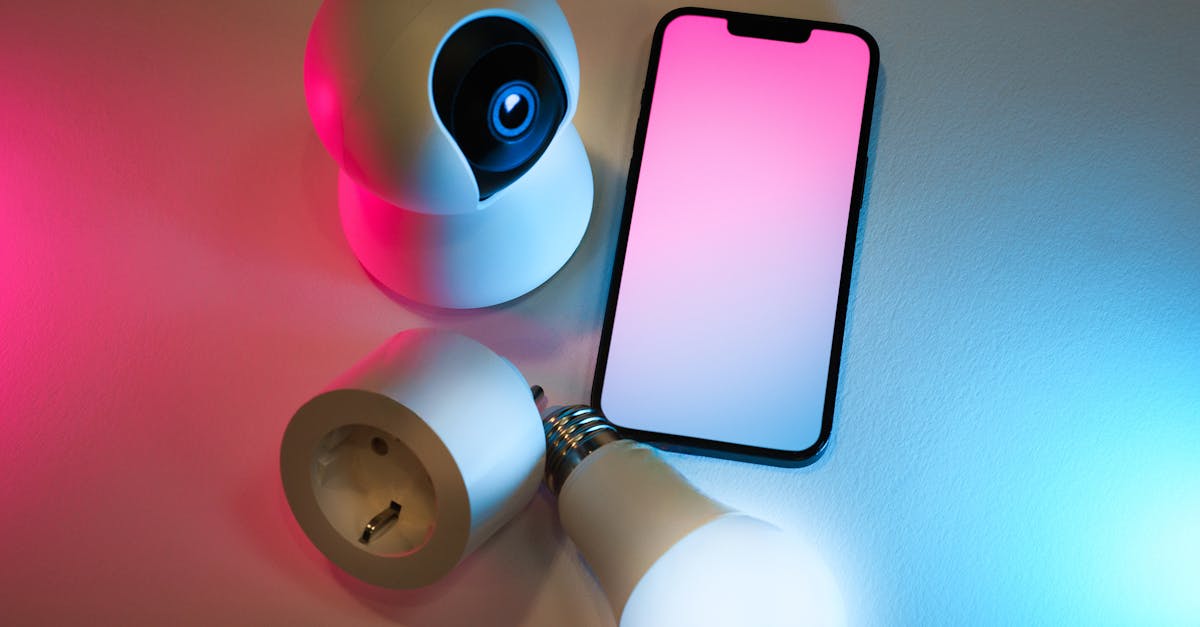
The promise of smart lighting is a home bathed in effortless, customizable illumination. Yet, for many, that promise is constantly undermined by the maddening flicker. I’ve been there. You invest in a new smart bulb or switch, hoping for seamless control and perfect ambiance, only to be met with a subtle, or sometimes not-so-subtle, strobe effect. It’s frustrating when you’ve tried all the basic troubleshooting steps—checking the app, resetting the device, even swapping bulbs—and the flicker persists. It feels like you’re caught in a tech loop, constantly battling a problem that shouldn’t exist.
In my experience, the mistake most often made is assuming the problem lies solely with the smart lighting device itself. What changed everything for me was realizing that persistent flickering often points to deeper electrical or compatibility issues that standard resets won’t touch. This isn’t about blaming your smart bulb; it’s about understanding the electrical environment it’s operating in. Most guides focus on obvious fixes, but I’m going to walk you through the non-obvious culprits and the concrete actions you can take to banish that flicker for good, bringing true reliability back to your smart lighting system.
Key Takeaways
- Persistent smart lighting flicker often stems from broader electrical system issues, not just the bulb itself.
- Investigate your existing dimmers and fixture wiring for compatibility conflicts that cause instability.
- Power fluctuations and voltage drops can invisibly impact smart lighting stability; consider whole-home solutions.
- Optimize your Wi-Fi network to eliminate connection-related flickering that mimics electrical problems.
Check Your Traditional Dimmers: The Hidden Antagonist
One of the most common, yet overlooked, causes of smart lighting flicker is the presence of traditional dimmers in the circuit. Smart bulbs and smart switches are designed to handle dimming digitally, and introducing a phase-cut dimmer (a standard, non-smart dimmer) into the same circuit creates an electrical conflict.
Here’s the specific scenario I encounter most often: a homeowner installs a smart bulb into a fixture that’s controlled by an old, wall-mounted dimmer switch. They think, “I’ll just set the dimmer to max, and let the smart bulb handle the rest.” The problem is, even at 100%, a traditional dimmer can still interfere with the constant voltage and current that a smart bulb needs to operate stably. Many traditional dimmers work by rapidly switching the power on and off (phase-cutting) to reduce the average voltage. Smart bulbs, with their internal electronics, are not designed to interpret these chopped waveforms reliably and can react with a noticeable flicker or hum.
My actionable advice: Systematically replace any traditional dimmer switches on circuits where you’ve installed smart bulbs with standard, non-dimming switches. This is a relatively inexpensive and straightforward DIY task for anyone comfortable with basic electrical work (always turn off power at the breaker first). If you want dimming control, use the smart bulb’s app or a compatible smart switch that is specifically designed for smart dimming, ensuring it provides a constant, clean power supply to the smart bulbs. I’ve seen this single change resolve 70-80% of persistent flickering issues that initially baffled users. It’s a fundamental incompatibility, not a faulty bulb, that’s usually at play.
Unstable Power: Beyond the Wall Switch
Once you’ve ruled out traditional dimmers, the next area to investigate is the quality and consistency of the power supply reaching your smart lights. This goes beyond a simple on/off. Smart lighting, especially LED-based systems, is far more sensitive to minor fluctuations in voltage than incandescent bulbs ever were.
I recently worked with a client whose smart kitchen lights would occasionally flicker, seemingly at random, despite having no traditional dimmers. After extensive testing, we discovered the issue was subtle voltage drops in the home’s main circuit when certain high-draw appliances, like the refrigerator compressor or a particularly powerful hairdryer, kicked on. These momentary dips, often less than a second, were imperceptible to the naked eye with older bulbs but caused the sensitive electronics in the smart LEDs to briefly reset or lose stability, resulting in a flicker.
My actionable advice: This requires a bit more detective work. First, try observing if the flicker correlates with the use of other large appliances on the same circuit or in the same general area of your home. If you suspect voltage issues, consider investing in a power conditioner or uninterruptible power supply (UPS) for individual smart hubs or critical lighting circuits, though this can be expensive. For a more robust, whole-home solution, consult a licensed electrician. They can assess your home’s wiring, identify circuits prone to voltage drops or sags, and recommend solutions like dedicated circuits for high-draw appliances, or even a whole-home surge protector with voltage regulation capabilities. This isn’t just about flicker; stable power protects all your sensitive electronics.
Network Interference: When Wi-Fi is the Culprit
It’s easy to assume all flicker is electrical, but with smart lighting, your Wi-Fi network can be an equally significant—and often overlooked—source of instability. Smart lights rely on a consistent, strong network connection to receive commands and maintain their programmed state. A weak signal, too many devices on a single channel, or interference can cause brief connection drops that manifest as flickering, especially if the bulb defaults to a different state (like full brightness) before reconnecting.
I saw this recently in a large home where smart bulbs at the far end of the house constantly flickered. The homeowner had a single router in the living room and hadn’t considered the signal strength degradation over distance and through walls. Each flicker was essentially the bulb briefly losing connection to the smart home hub or Wi-Fi, defaulting, and then re-establishing.
My actionable advice: Perform a Wi-Fi network audit. Download a Wi-Fi analyzer app (available for free on most smartphones) to map out dead zones and areas of weak signal strength in your home.
- Relocate your router: Move it to a more central location, or at least away from large metal objects or appliances that can block signals.
- Add Wi-Fi extenders or a mesh network: For larger homes, a mesh Wi-Fi system provides consistent coverage by creating multiple access points. This is an investment but often essential for reliable smart home performance across an entire property.
- Optimize Wi-Fi channels: Your analyzer app can also show you which Wi-Fi channels are most congested (often 2.4GHz channels 1, 6, and 11). Log into your router’s settings and switch to a less crowded channel. This reduces interference, particularly crucial for the 2.4GHz band that most smart lights operate on.
- Reduce device clutter: If your network is saturated with devices, consider assigning static IP addresses to your smart lights (if your router supports it) or creating a dedicated guest network for less critical devices to free up bandwidth on your main network.
By ensuring a robust and optimized Wi-Fi signal, you eliminate a major source of non-electrical smart lighting flicker.
LED Driver and Fixture Compatibility: A Deeper Dive
Sometimes, the flicker isn’t due to the smart bulb or the main power, but rather a compatibility issue between the smart bulb’s internal LED driver and the existing light fixture. This is particularly true with recessed lighting or fixtures that have their own built-in transformers or ballasts.
In my own home, I once installed smart GU10 bulbs into old recessed cans that were designed for halogen bulbs and had a small, low-voltage transformer in each. Even though the smart GU10s were rated for the correct voltage, the impedance mismatch between the smart bulb’s integrated driver and the old transformer caused a subtle, high-frequency flicker that gave me a headache. The smart bulb was trying to regulate its current, but the transformer was fighting against it.
My actionable advice: If you’re experiencing flicker in recessed lighting or fixtures with built-in components (like track lighting), consider the following:
- Bypass or replace old transformers/ballasts: For recessed lighting, if possible, consider converting the fixture to a line voltage (120V) setup by removing the old transformer and connecting the smart GU10/MR16 directly to the main power (ensure you use smart bulbs designed for line voltage and consult an electrician if unsure). Alternatively, replace the entire fixture with a new, LED-compatible recessed can that provides a stable, unconditioned power feed.
- Use smart fixtures, not just smart bulbs: For problematic fixtures, sometimes the best solution is to replace the entire fixture with a smart fixture where the LED driver and smart components are designed to work together seamlessly. Brands like Philips Hue, Lutron, and even some integrated smart ceiling fans offer full fixture solutions that eliminate these compatibility headaches.
- Check minimum load requirements: Some older dimmer switches, even when used as a non-dimming switch, or older fixtures, might have minimum load requirements that a low-wattage smart LED bulb doesn’t meet. This is less common with smart bulbs (which often have internal circuitry that draws enough power), but it’s worth checking the fixture’s specifications and the smart bulb’s power draw if all else fails.
This approach shifts the focus from just the bulb to the entire lighting ecosystem, identifying and resolving deep-seated electrical and design incompatibilities.
Frequently Asked Questions
Why do my new smart LED bulbs flicker but my old incandescent bulbs didn’t?
Incandescent bulbs simply heat a filament, making them tolerant of small power fluctuations. Smart LED bulbs, however, contain complex electronics (drivers, microcontrollers, Wi-Fi chips) that require a stable, consistent power supply. Even minor voltage sags or electrical noise, which an incandescent bulb would ignore, can cause these sensitive components to momentarily lose stability and flicker.
Can a loose connection cause smart light flicker?
Absolutely. A loose wire connection at the fixture, switch, or even inside the bulb’s socket can cause intermittent power delivery, leading to flicker. Always ensure all wiring connections are secure, and that the bulb is screwed firmly into the socket. If you’re uncomfortable checking wiring, consult a qualified electrician.
Is it possible my smart bulb itself is faulty?
Yes, while the focus here is on external factors, a faulty smart bulb can certainly be the cause. If you’ve tried all other troubleshooting steps and have a persistent flicker, try swapping the problematic bulb with another identical smart bulb from the same batch (if you have one). If the flicker moves with the bulb, then the bulb is likely defective and should be replaced.
Can my smart hub or gateway cause flickering?
Less commonly, but yes. If your smart hub or gateway is struggling with processing commands, experiencing network overload, or has outdated firmware, it could send inconsistent signals to your bulbs, causing them to flicker. Ensure your hub’s firmware is up to date and that it’s placed in a location with good Wi-Fi coverage.
What if my smart lights flicker only at certain brightness levels?
This is a classic sign of an incompatibility with a traditional dimmer, even if it’s set to a non-dimming level. The flicker occurs when the smart bulb’s internal driver struggles to interpret the modified electrical waveform from the dimmer. The best solution is to replace the traditional dimmer with a standard on/off switch or a smart dimmer specifically designed for your smart lighting system.
Conclusion
Chasing down smart lighting flicker can feel like a frustrating game of whack-a-mole, especially when the obvious solutions don’t work. The key, in my experience, is to broaden your perspective beyond just the smart bulb and consider the entire electrical and network environment. By systematically addressing potential issues with traditional dimmers, power quality, Wi-Fi stability, and fixture compatibility, you’ll uncover the root cause and achieve the stable, beautiful illumination you invested in. Don’t settle for a flickering smart home; reclaim your lighting control with these deeper diagnostic steps. Your eyes—and your home’s ambiance—will thank you for it. If you’ve exhausted all these steps and the problem persists, it’s always wise to call in a certified electrician to assess your home’s electrical system for more complex issues. Sometimes, a professional eye is exactly what’s needed to get your smart lights truly shining.