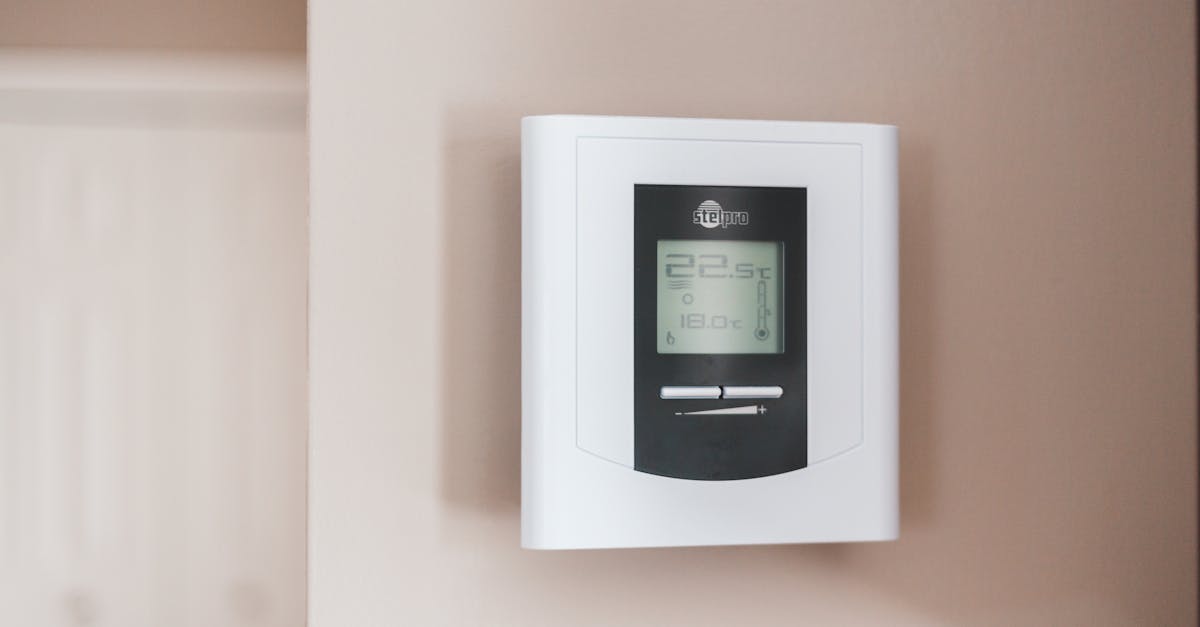
For years, smart thermostat manufacturers have promised significant energy savings, and in my experience, they do deliver. The question, however, isn’t whether they save energy, but how best to leverage their capabilities. Many users initially gravitate towards either geofencing – where the thermostat adjusts based on your phone’s location – or traditional scheduling. What I’ve found after years of testing both in my own home and observing countless user setups is that while both offer benefits, one consistently outperforms the other in terms of actual, measurable energy reduction and user comfort. The mistake I see most often is users assuming geofencing is the ‘smarter’ option by default, when in reality, a well-implemented schedule often provides more consistent, predictable, and ultimately, greater savings.
Key Takeaways
- Precise schedules often outperform geofencing for consistent energy savings due to predictable home occupancy.
- Geofencing’s real value emerges in unpredictable lifestyles, but requires fine-tuning to avoid ‘phantom’ heating/cooling.
- Combining a robust schedule with geofencing as an override for unexpected changes offers the best of both worlds.
- A longer ‘away’ threshold for geofencing minimizes unnecessary heating or cooling cycles when briefly stepping out.
Geofencing’s Promise: The Lure of Automated Convenience
When geofencing first hit the market, it felt like the ultimate smart home solution. The idea is simple: your thermostat knows when you’re home and when you’re away, adjusting the temperature accordingly without you ever having to lift a finger. On paper, this is incredibly appealing. Why run your AC when no one’s home? Why heat an empty house? The promise is seamless comfort and effortless savings.
In my early testing, I was eager to embrace this. I set up my Ecobee (Nest works similarly) to detect when my phone left a 2-mile radius of my home and switch to an ‘away’ setting, letting the temperature drift up a few degrees in summer or down in winter. The theory was that as I approached home, it would detect my return and kick on the system, ensuring comfort by the time I walked through the door.
However, the reality for many, myself included, was often a mixed bag. For instance, if I made a quick trip to the grocery store a mile away, the system might register me as ‘away,’ shift the temperature, and then have to work harder to recover when I returned 30 minutes later. These short, unpredictable departures often led to less efficient operation than simply maintaining a consistent setback. Furthermore, if I left my phone at home, the system would mistakenly think I was still there, running the HVAC for an empty house. Conversely, if a family member was home without their phone linked, the house would go into ‘away’ mode, leading to discomfort and complaints. The beauty of geofencing is its reactivity, but that reactivity can be its downfall if not managed carefully, especially in households with varied routines.
Schedules: The Unsung Hero of Predictable Savings
For most households, life follows a rhythm. People leave for work around the same time, children go to school, and evenings are spent at home. This predictability is where schedules truly shine. Instead of reacting to real-time location data, a schedule anticipates your needs, gently adjusting the temperature over longer periods. This allows your HVAC system to operate more efficiently, making gradual changes rather than drastic, energy-intensive ones.
In my own home, switching from a geofencing-first approach to a meticulously crafted schedule made a significant difference. I found that by setting my thermostat to begin cooling down about 30 minutes before I typically arrived home from work, the house was perfectly comfortable by the time I walked in, and the system didn’t have to blast at full power to catch up. Similarly, an overnight setback that started well after bedtime and ramped back up before waking moments provided comfortable sleep and a warm start to the day without wasting energy.
When I audited my energy bills, the months with a strong schedule showed more consistent and deeper savings compared to the geofencing-dominant periods. The secret isn’t just turning things off when you’re away; it’s about doing so with a foresight that optimizes the system’s runtime. A schedule reduces the ‘phantom’ heating or cooling that sometimes occurs with geofencing glitches or short trips. It’s about proactive energy management, not just reactive.
Blending Both: Geofencing as a Smart Override
The real power doesn’t come from choosing one over the other, but from intelligently combining both. My current recommendation is to build a robust schedule as your primary mode of operation. This covers the 80-90% of your life that is predictable. For those times when life throws a curveball – an unexpected day off, a spontaneous weekend trip, or an early return home – that’s when geofencing or manual overrides come into play.
Most smart thermostats allow you to set geofencing as an override to your schedule. For example, if your schedule has the heat set low during working hours, but you decide to come home sick early, geofencing can detect your early return and begin warming the house. The key here is to set a longer geofencing ‘away’ threshold – perhaps 3-5 miles – to prevent the system from constantly flipping modes during short errands. This ensures that geofencing only activates for genuine, extended absences, preventing unnecessary energy expenditure from rapid temperature swings.
I also recommend setting an ‘away’ minimum duration if your thermostat allows it. For instance, the system won’t activate ‘away’ mode unless you’ve been outside the geofence for at least 60 minutes. This prevents the quick grocery run from triggering an inefficient heating or cooling cycle that then needs to be undone shortly after.
The Overlooked Factor: User Behavior and Family Dynamics
No smart home system exists in a vacuum. The most sophisticated thermostat will fail to deliver if it clashes with the realities of your household. If you live alone with a highly predictable routine, a schedule-only approach might be perfect. If you have a large family with members coming and going at all hours, geofencing’s unpredictable nature can lead to frustration and manual overrides that negate any potential savings.
In my experience, family buy-in is crucial. If other members of the household find the temperature uncomfortable because the system is constantly guessing their location, they’ll simply bypass the smart features. What changed everything for me was educating my family about the schedule and showing them how to temporarily override it for their specific needs, rather than letting the system guess. For example, my partner knows that if she’s working from home on a day I’m normally at the office, a quick tap on the thermostat or a voice command to Google Assistant can hold the temperature until the next scheduled change. This empowers users and fosters cooperation with the smart system, leading to greater long-term adoption and savings.
Consider linking multiple phones to your geofence if your thermostat supports it, but be wary of the ‘last person out’ logic. If the system only activates ‘away’ mode when all linked phones are outside the zone, it might never actually go into energy-saving mode if one family member is always home, or if someone leaves their phone charging at home. This is another reason a strong base schedule is essential, with geofencing acting as an intelligent layer on top.
Calibrating Your Savings: Monitoring and Adjustment
Regardless of whether you lean on schedules, geofencing, or a combination, the work isn’t done after initial setup. True energy savings come from ongoing monitoring and adjustment. Most smart thermostats provide energy usage reports, often broken down by heating/cooling time. Regularly reviewing these reports allows you to identify patterns, pinpoint inefficiencies, and fine-tune your settings.
For example, if you notice your AC is running excessively during the shoulder seasons (spring/fall), your temperature setbacks might be too aggressive, causing the system to work harder than necessary. Or, if your geofencing consistently shows short ‘away’ periods followed by rapid temperature recovery, that’s a sign to lengthen your geofence radius or increase the ‘away’ minimum duration. The best approach is iterative: set, monitor, adjust, repeat. This level of engagement transforms your smart thermostat from a set-it-and-forget-it gadget into a dynamic tool for ongoing energy optimization.
Frequently Asked Questions
Can geofencing save more energy than a schedule in any scenario?
Yes, for individuals with extremely irregular daily routines, where occupancy patterns are completely unpredictable, geofencing can potentially save more energy than a rigid schedule. However, this requires careful calibration of the geofence radius and setback temperatures to avoid inefficient short cycles.
What is the ideal temperature setback for energy savings?
In my experience, a setback of 5-10 degrees Fahrenheit (2-5 degrees Celsius) from your occupied temperature is a good starting point for both heating and cooling. The optimal setback depends on your climate, insulation, and personal comfort, but aiming for a gradual shift over an hour or two is more efficient than a drastic change.
How many phones should I link to my geofence?
If your smart thermostat supports it, linking all adult household members’ phones can be beneficial. However, ensure you understand the logic (e.g., ‘all away’ vs. ‘any away’ for activation). If the system only triggers ‘away’ mode when all linked phones are gone, and one person often leaves their phone at home, it can negate the feature’s effectiveness. A base schedule provides reliability in such cases.
Does constantly changing the temperature with geofencing damage my HVAC system?
While not directly damaging, frequent, rapid temperature swings can lead to increased wear and tear on your HVAC system over time. The system has to work harder and cycle more often to achieve drastic temperature changes. Gradual temperature adjustments, as typically achieved with a well-planned schedule, are generally better for system longevity and efficiency.
How often should I review my energy usage reports?
I recommend reviewing your energy usage reports monthly, especially during peak heating and cooling seasons. This allows you to quickly identify any unexpected consumption spikes, understand how your settings impact your bill, and make timely adjustments. Many smart thermostat apps provide detailed insights to help with this.
Conclusion
While the allure of fully automated geofencing is strong, my experience, and the data, consistently point to well-defined schedules as the foundation for optimal smart thermostat energy savings. Geofencing acts best as an intelligent layer, overriding the schedule only when genuinely necessary for unpredictable, extended absences. The magic truly happens when you combine the foresight of a schedule with the adaptability of a carefully configured geofence, all while keeping a keen eye on your actual energy consumption. Start with a solid schedule, fine-tune your geofence, and most importantly, engage with your system’s data to unlock its full potential. Your energy bill will thank you.