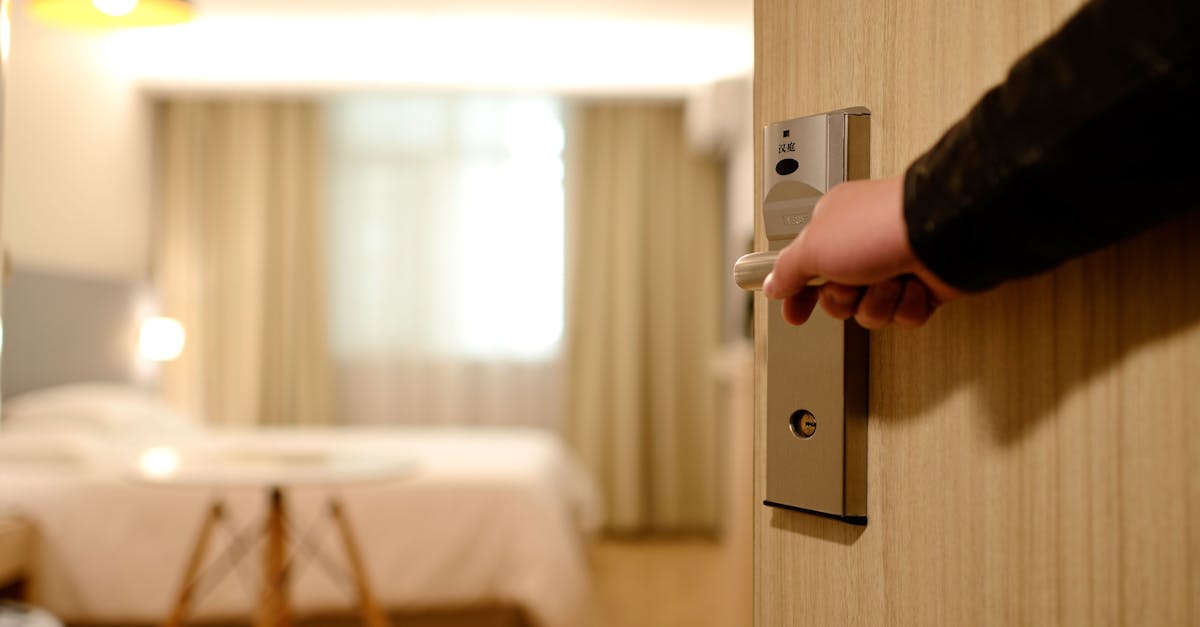
The doorbell rings, and suddenly you remember: your cousin is arriving in 30 minutes, and the guest room is still set up exactly how you left it after your last solo work-from-home session. The smart bulb in the bedside lamp is stuck on that harsh, cool white you use for deep focus, and the overhead light is a blindingly bright default. Your guests deserve better than a room that feels like a temporary holding cell, especially when smart lighting offers so much potential to create a genuinely welcoming, intuitive experience.
I’ve seen countless smart home setups, and the guest room is often an afterthought. We optimize our own spaces, our living rooms and kitchens, but forget that visitors might not share our preferences or even know how to dim a light without an app. The goal isn’t just to have smart bulbs; it’s to use them to craft an environment that anticipates needs, offers simple control, and provides a comfortable, even luxurious, stay. In my experience, the mistake most often made is assuming guests will figure it out, or worse, that they’ll appreciate your personal default settings. They won’t. What changed everything for me was approaching the guest room not as an extension of my smart home, but as a mini-hotel suite, designed for maximum comfort and minimal fuss for someone else.
Key Takeaways
- Equip all guest room smart lights with multiple, easily accessible control methods, including physical switches and voice commands.
- Standardize light temperatures to a warm 2700K for all default settings, ensuring a cozy atmosphere.
- Pre-program a ‘Good Morning’ and ‘Good Night’ scene with gentle light transitions for intuitive use.
- Integrate smart lighting with smart blinds for comprehensive light control, especially in rooms facing east or west.
Offer Multiple Control Points for Every Light
The biggest hurdle for guests in a smart home is almost always control. They don’t have your apps, they don’t know your voice assistant’s wake word, and they certainly don’t know which smart switch controls what. The worst thing you can do is leave them fumbling in the dark or staring at a perpetually too-bright light, afraid to ask how to dim it. In my experience, a truly welcoming guest room provides at least two, and ideally three, distinct methods of control for every smart light source.
First, there’s the physical smart switch. This is non-negotiable. If you’ve replaced a traditional light switch with a smart one, ensure it still functions as a regular switch. Guests expect to flick a switch on the wall and have the light come on. Many smart switches offer this functionality, but some purely smart buttons or dimmer pucks can be confusing. For bedside lamps, I always recommend a smart bulb in a lamp that still has its own physical on/off switch or dimmer knob. This gives guests the immediate, familiar option to turn the light on and off without any smart home interaction.
Second, integrate voice assistant control. While guests might not have their own voice profiles, they can usually issue basic commands to your home’s main voice assistant if it’s within earshot (e.g., “Alexa, turn on the bedside lamp”). Place a small smart speaker or display in the guest room itself, if possible, configured to a simple, easily understood name for each light (e.g., “bedside light,” “reading light,” “main light”). Print a small, tasteful card with these simple commands next to the speaker. This empowers guests to control lights hands-free, which is particularly useful if they’re settling into bed.
Finally, consider motion or occupancy sensors for specific areas, but use them cautiously. A sensor that subtly illuminates a path to the bathroom at night can be incredibly thoughtful. However, a sensor that turns on the main overhead light every time they shift in bed will be deeply annoying. Focus on low-level, indirect lighting for these automations. What changed everything for me was realizing that simplicity trumps advanced automation in a guest space. Give them options, not puzzles.
Standardize Warm White Defaults (2700K) for Instant Coziness
Walk into an unfamiliar room, and the lighting sets the immediate tone. A harsh, cool white light (think 5000K or higher) instantly feels institutional or like a workspace. It’s jarring for someone trying to unwind after travel. Conversely, a warm, inviting light (around 2700K) instantly signals comfort and relaxation. The mistake I see most often is leaving smart bulbs on their factory default, which is often a bright, neutral white, or worse, whatever color temperature the homeowner last used for their own tasks.
For a guest room, every smart bulb’s default setting should be a warm white, specifically 2700 Kelvin. This is the color temperature of traditional incandescent bulbs and is universally associated with coziness, relaxation, and a welcoming ambiance. Even if your smart bulbs are capable of millions of colors, your guests aren’t there to experiment with mood lighting; they’re there to feel at home.
This standardization should apply to all light sources in the room: bedside lamps, overhead fixtures, and any accent lighting. When a guest walks in and flips a physical switch, or issues a basic voice command, that 2700K warm white should be the first thing they experience. This isn’t just about aesthetics; it’s about minimizing cognitive load. They don’t have to think about what light setting to choose; it’s already optimized for their comfort. In my experience, this single change has the most immediate and positive impact on a guest’s perception of the room.
If your smart lighting system allows, create a “Guest Default” scene or setting that all guest room lights revert to after a certain period of inactivity, or upon a specific command like “reset guest room lights.” This ensures consistency, even if a previous guest experimented with different settings. Focus on creating an atmosphere that makes them want to kick off their shoes, not one that makes them feel like they’re still at the office.
Create Intuitive ‘Good Morning’ and ‘Good Night’ Scenes
Beyond basic on/off control, smart lighting truly shines when it can enhance daily routines without explicit commands. For guests, this means pre-programming gentle transitions for waking up and winding down. The mistake I often observe is creating complex scenes that only the homeowner understands, or forgetting that guests might not even know these scenes exist.
What changed everything for me was realizing that these scenes need to be intuitive, subtle, and easily triggered – ideally, even without a voice command. Start with a ‘Good Night’ scene. This should dim all lights in the room slowly over 10-15 minutes, eventually turning off everything except perhaps a very low-level night light or path light. This gentle fade helps signal the body to prepare for sleep, a welcome comfort in an unfamiliar bed. You can link this to a motion sensor in the bathroom if they get up, softly illuminating a path rather than blasting them with light.
For a ‘Good Morning’ scene, think about a sunrise simulator. Instead of a jarring alarm, program the bedside lamp to gradually brighten over 20-30 minutes, mimicking a natural sunrise. This can be set to trigger at a specific time (if you know your guests’ wake-up schedule) or even linked to a smart clock that can be set by the guest. Again, use that comforting 2700K warm white light, gradually increasing in brightness.
Crucially, make these scenes discoverable. A small, elegant instruction card next to the bed or a small smart display (like a Google Nest Hub or Amazon Echo Show) with a clear button for “Good Night” or “Good Morning” scenes works wonders. Voice commands like “Hey Google, good night” should also be enabled. The goal is to offer thoughtful amenities that feel effortless, rather than requiring an instruction manual or a deep dive into your smart home app.
Seamlessly Integrate Smart Blinds for Light Control
Natural light is a powerful, often overlooked, element in a guest room’s comfort. Too much morning sun can be a rude awakening, while too little during the day can make the room feel gloomy. This is where smart blinds or smart curtains become an invaluable addition, especially when integrated with your smart lighting. The common oversight here is thinking of lighting and window treatments as separate entities. They’re not; they control the total light entering the room.
In my experience, smart blinds truly elevate the guest room experience. Imagine your guests arriving late in the evening. Instead of fumbling with cords or slats, you can have a “Welcome” scene that automatically closes the blinds for privacy and activates a warm, dim light. Or, for rooms facing east or west, schedule the blinds to automatically open or close with the sun’s position throughout the day. This prevents harsh glare and maintains a comfortable temperature without your guests having to intervene.
Integrating smart blinds with your ‘Good Morning’ and ‘Good Night’ scenes is where the magic truly happens. For the ‘Good Morning’ scene, as the bedside lamp gently brightens, the smart blinds can simultaneously begin to open slowly, inviting natural light in as your guests stir. For ‘Good Night,’ as the lights dim, the blinds can fully close, ensuring complete darkness and privacy.
Like with smart lights, ensure there are multiple control points. A physical remote or wall switch for the blinds is essential, alongside voice commands. Place the remote prominently. This gives guests immediate, easy control over their privacy and light levels without having to download an app or even think about the automation. What changed everything for me was seeing how a guest’s appreciation for these integrated, effortless controls significantly enhanced their stay.
Address Power and Charging Needs with Smart Plugs
Modern travelers arrive laden with devices: phones, tablets, smartwatches, laptops. One of the most common guest complaints isn’t about the bed or the amenities, but the lack of convenient charging options. We often leave only one or two outlets free, which are usually hidden behind furniture. This is a missed opportunity, and smart plugs offer a simple, effective solution.
The practical application of smart plugs in a guest room goes beyond just on/off control for a lamp. First, strategically place easily accessible smart plugs near the bed and a dedicated workspace (if available). These should be clearly visible and free from obstruction. In my experience, having a smart plug strip with multiple USB ports readily available on a bedside table is far more appreciated than any decorative throw pillow.
Second, consider using smart plugs to pre-charge a small, portable battery pack that guests can use on the go. This is a thoughtful touch that shows you’ve anticipated their needs. You can set the smart plug to charge the power bank during off-peak hours to save a few cents on energy, and then turn off once fully charged.
Third, and perhaps most importantly, use smart plugs to ensure devices are actually powered on and ready for use (or off when not needed for energy saving). For instance, if you have a smart speaker or a bedside clock radio in the guest room, plug it into a smart plug. When guests arrive, a “Welcome” scene can turn on these smart plugs, ensuring all devices are ready. When they leave, a “Goodbye” scene can power them all off, preventing ghost drain. What changed everything for me was realizing that charging convenience is a huge differentiator for guest comfort; smart plugs simplify this significantly for both you and your visitors.
Prioritize Privacy and Simplicity Over Advanced Features
While we love to show off the cutting edge of our smart homes, the guest room is not the place for complex automations or intrusive features. Guests prioritize privacy, ease of use, and a sense of normalcy over fancy tech demos. The mistake most often made is pushing advanced smart features that confuse or, worse, make guests feel monitored.
Turn off any motion detection in security cameras that might be pointed near the guest room. While this seems obvious, some homeowners forget to disable these while guests are present, leading to uncomfortable incidents. Similarly, disable any voice assistant recordings or active listening outside of explicit commands for the duration of their stay. Most voice assistants allow temporary privacy modes or guest modes that limit data collection.
What changed everything for me was a guest politely asking if the smart display in their room was “always listening.” It made me realize that even well-intentioned smart home features can feel intrusive without clear communication and privacy controls. Consider a small sign indicating how to pause listening or turn off the device if they prefer. The goal is to create a seamless, comfortable experience, not a surveillance state.
Finally, keep smart lighting routines simple and easily understandable. Avoid routines that unexpectedly change light colors or brightness based on external factors like weather or news updates. Stick to the basics: ambient lighting, task lighting, and gentle transitions for sleep and wake. For a guest room, less is often more. Focus on robust, reliable functionality that doesn’t require a manual or an explanation.
Frequently Asked Questions
How can I make my smart lighting easy for guests who aren’t tech-savvy?
Provide multiple control options: traditional physical switches, clearly labeled remote controls, and simple voice commands (e.g., “Alexa, turn on the bedside light”). Consider a small, printed card with instructions for basic controls next to each light or voice assistant device. Standardize default settings to a warm, inviting light color (2700K) so guests don’t have to adjust anything.
Should I install motion sensors in the guest room?
Use motion sensors cautiously. They can be great for low-level path lighting, like a strip light under the bed that illuminates a path to the bathroom at night. However, avoid sensors that turn on bright main lights unexpectedly, as this can be startling and annoying. Focus on subtle, helpful automations rather than obtrusive ones.
What’s the ideal light color temperature for a guest room?
Aim for a warm white light, specifically around 2700 Kelvin. This mimics the cozy glow of incandescent bulbs and promotes relaxation and comfort, making the room feel welcoming and less sterile. Ensure this is the default setting for all lights so guests don’t need to manually adjust it.
How do smart blinds enhance the guest room experience?
Smart blinds provide easy control over privacy and natural light. They can be integrated with “Good Morning” and “Good Night” scenes to open or close gently. This avoids guests fumbling with cords, blocks unwanted morning sun, and ensures complete darkness for sleeping, contributing to a more comfortable and intuitive stay.
Are smart plugs useful in a guest room?
Absolutely. Smart plugs can be used to provide easily accessible charging points for guests’ devices near beds or workspaces. You can also use them to pre-charge portable power banks or ensure devices like smart speakers are powered on and ready for use upon arrival, then easily powered off after guests depart to save energy.
Creating a truly welcoming guest room with smart lighting isn’t about showcasing the most complex tech; it’s about using technology to anticipate needs, simplify control, and create an atmosphere of effortless comfort. By focusing on intuitive control, warm default settings, gentle routines, integrated light and blind control, and convenient charging, you can transform a simple guest room into a highly appreciated sanctuary for your visitors.

