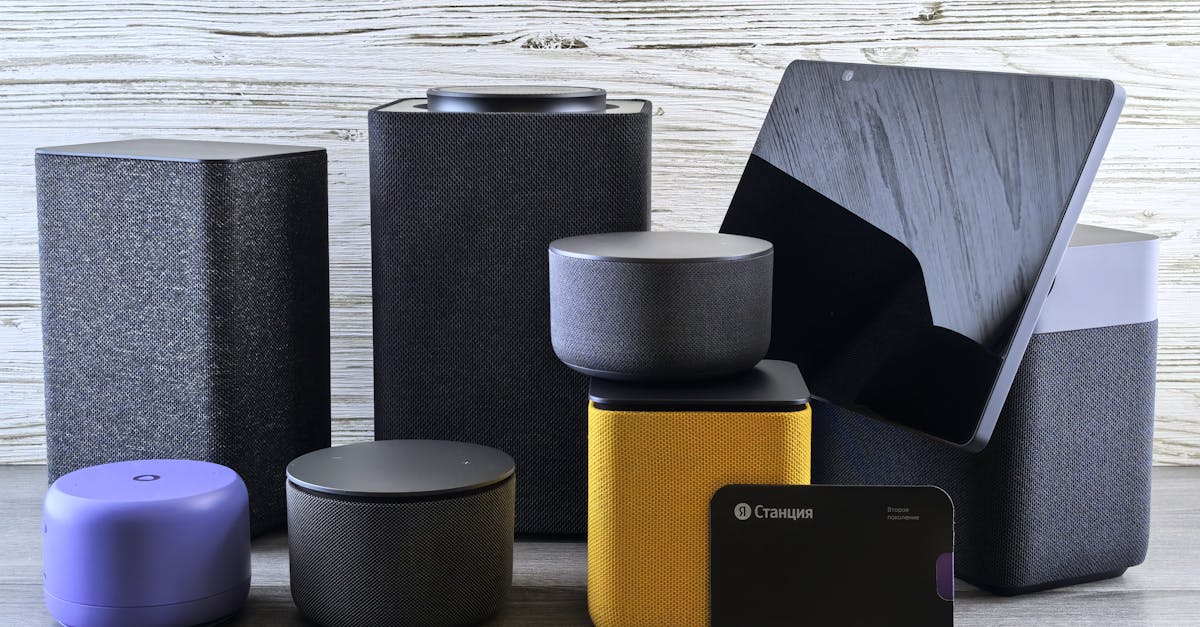
The promise of a smart home is convenience and control, a centralized nervous system for your digital dwelling. But when that central brain—your smart home hub—becomes a vulnerability, the convenience quickly turns into a nightmare. I’ve seen countless smart home users, often after investing hundreds or even thousands in devices, overlook the fundamental security of the hub itself. They’ll buy the latest smart lock, install cameras, and set up complex routines, but leave their hub’s default settings wide open, essentially rolling out a digital welcome mat for anyone with malicious intent. The mistake I see most often is believing that a strong Wi-Fi password is enough, or that a hub is inherently secure because it’s a ‘closed system.’ In my experience, the opposite is true. While many hubs offer robust security features, they require active configuration. Ignoring these built-in defenses, or failing to understand the common vectors of attack, is a critical oversight. My goal here is to show you how to leverage what you already have, turning your hub from a potential weak link into a digital fortress, all without spending another cent on new hardware.
Key Takeaways
- Change all default credentials on your smart home hub and any connected device immediately upon setup.
- Segment your smart home devices onto a dedicated guest Wi-Fi network to isolate them from critical data.
- Disable remote access features on your hub unless absolutely necessary and secure them with multi-factor authentication.
- Regularly update your smart home hub’s firmware and connected devices to patch known vulnerabilities.
Rethink Your Passwords Beyond the Default “Admin”
When you unbox a new smart home hub, the manufacturer often provides a default username and password, sometimes even a generic ‘admin’ with ‘password’ or a simple numeric code. This isn’t just common; it’s practically a tradition in consumer electronics, and it’s also a glaring security hole. In my experience setting up dozens of smart homes, the first and most critical step is to immediately change these default credentials for every single device that offers login access, starting with the hub itself. I once consulted for a client who had a sophisticated smart home, but his hub’s login was still ‘admin’ and the serial number, easily discoverable. An attacker could have found this information online, logged into his hub, and gained control of his entire home.
Here’s what you need to do: first, locate your hub’s administrative interface, usually through a web browser on your home network. Log in with the default credentials, then navigate to the security or user settings. Create a new username that isn’t easily guessable (avoid your name, house number, or ‘admin’). For the password, generate a strong, unique phrase at least 16 characters long, combining uppercase and lowercase letters, numbers, and symbols. Do not reuse passwords from other accounts. If your hub allows, create a separate user account for everyday access with limited permissions and reserve the administrator account for configuration changes only. This layered approach means that even if a less privileged account is compromised, the attacker can’t immediately take full control. This single action, costing nothing but a few minutes of your time, drastically reduces the risk of an unauthorized individual gaining access to your smart home’s command center.
Isolate Your Devices on a Dedicated Guest Network
Many modern Wi-Fi routers offer the ability to create a guest network. Most users think of this as a convenience for visitors, keeping them off the main network where personal files and primary devices reside. What changed everything for me was realizing this feature is a powerful, free security tool for smart homes. The mistake I see most often is connecting all smart devices directly to the main Wi-Fi network, mingling them with laptops, smartphones, and storage drives that contain sensitive personal information.
Here’s why network segmentation is crucial: smart home devices, particularly older models or those from less reputable manufacturers, can sometimes have vulnerabilities that a determined attacker could exploit. If a compromised smart bulb or thermostat is on the same network as your banking apps, tax documents, or work files, an attacker could potentially pivot from the smart device to your more valuable data. By moving your smart home hub and all connected smart devices to a dedicated guest network, you create a digital air gap. Most guest networks are configured to block devices on the guest network from communicating with devices on the main network, effectively containing any potential breach within the smart home ecosystem.
To implement this, access your router’s administration panel (usually via a web browser). Enable the guest Wi-Fi network, give it a unique name (SSID), and set a strong, unique password. Then, go through each of your smart devices, including your hub, and reconfigure their Wi-Fi settings to connect to this new guest network instead of your main one. Ensure the guest network has client isolation enabled if that’s an option, further preventing devices on the guest network from seeing each other. This creates a powerful layer of defense, ensuring that even if one smart device is compromised, your core network remains secure.
Turn Off Unnecessary Remote Access, Really
Smart home hubs often boast ‘remote access’ capabilities, allowing you to control your lights, locks, and cameras from anywhere in the world using your smartphone. While incredibly convenient, this feature is also a primary vector for external attacks. The tradeoff here is often overlooked: every open port or internet-facing service on your hub is a potential entry point for an intruder. My perspective is that if you don’t absolutely need remote access 24/7, you should disable it, or at the very least, harden it significantly.
Many hubs default to having remote access enabled or make it very easy to turn on without proper security considerations. If you rarely use remote access, or only need it for specific, short durations (e.g., when you’re on vacation for a week), consider enabling it only when needed and disabling it immediately afterward. This drastically reduces the window of opportunity for an attacker. If constant remote access is essential, then multi-factor authentication (MFA) is non-negotiable. Most reputable hub manufacturers offer MFA, requiring a second verification step (like a code from your phone) in addition to your password. This means even if an attacker steals your password, they can’t log in without access to your physical phone.
To check and configure: log into your hub’s web interface or mobile app. Look for settings related to ‘Remote Access,’ ‘Cloud Services,’ ‘Port Forwarding,’ or ‘External Access.’ Disable any features you don’t use. If you need it, ensure MFA is enabled for the hub’s account and any associated cloud service. Some advanced users might even consider setting up a VPN to their home network for remote access, which routes all traffic securely through an encrypted tunnel, rather than relying on the hub’s direct internet exposure. This is a more complex setup but provides the highest level of security for remote control without purchasing new hardware.
Keep All Firmware Updated and Patched
This might sound obvious, but the biggest real-world context for smart home security often involves software vulnerabilities. Just like your computer or smartphone, smart home hubs and their connected devices run on firmware that sometimes contains bugs or security flaws. Manufacturers regularly release updates to patch these vulnerabilities, improve performance, and add new features. The critical mistake many users make is ignoring these updates, or worse, disabling automatic updates because of fear of breaking compatibility.
In my line of work, I’ve seen countless cases where a breach could have been prevented by a simple firmware update. For example, a client with an older smart camera had its video feed accessed by an outsider because the default password was used and the firmware was years out of date, containing a widely known exploit. What changed everything for me was understanding that outdated firmware is essentially an invitation for attackers to use known attack methods. Think of it like leaving your front door unlocked because you haven’t installed the latest security patch that fixes a common lock defect.
To protect your smart home, make it a regular habit to check for and apply all available firmware updates for your hub, smart devices (lights, locks, cameras, sensors), and even your router. Many devices now offer automatic updates, which I strongly recommend enabling. If a device doesn’t have automatic updates, set a recurring reminder (e.g., monthly or quarterly) to manually check. This proactive approach ensures your smart home’s software defenses are always current against the latest threats. This is a continuous effort, not a one-time task, but it leverages your existing infrastructure to its maximum security potential.
Frequently Asked Questions
What is the most common way smart home hubs get hacked?
The most common ways smart home hubs are compromised are through weak or default passwords, outdated firmware with known vulnerabilities, and exposed remote access features without multi-factor authentication. Attackers often scan the internet for devices with these easy-to-exploit weaknesses.
Can my smart lights or speakers be used to spy on me?
Yes, potentially. If a smart speaker’s microphone or a smart camera’s feed is compromised, it could be used for unauthorized audio or video surveillance. Similarly, advanced attackers could potentially manipulate smart lights to signal patterns or gather ambient information. This underscores the importance of strong passwords, network segmentation, and disabling unnecessary remote access.
How often should I change my smart home hub’s password?
While there’s no fixed rule, it’s best practice to change your hub’s password immediately after initial setup and then periodically, perhaps every 6-12 months. More importantly, ensure it’s a unique, strong password and use multi-factor authentication if available, as this provides a much higher level of protection than password changes alone.
Does using a VPN make my smart home more secure?
A VPN (Virtual Private Network) can significantly enhance the security of your remote access to your smart home hub. Instead of directly exposing your hub to the internet, you can connect to your home network via an encrypted VPN tunnel. This means any remote commands pass through a secure, encrypted connection, making it much harder for unauthorized individuals to intercept or exploit your hub.
Should I disable my smart home hub’s cloud connection?
Disabling the cloud connection will often limit much of your smart home’s functionality, especially remote access and integration with voice assistants. It generally makes your local network-only system more secure from external cloud-based attacks. However, it sacrifices convenience. If you keep the cloud connection, ensure you use a strong, unique password and enable multi-factor authentication for the associated cloud account.
Ultimately, securing your smart home hub doesn’t require a complete overhaul or costly new equipment. It’s about diligent attention to the tools and settings you already possess. By systematically addressing default credentials, isolating devices, managing remote access, and staying on top of firmware updates, you’re not just patching holes; you’re building a resilient, private smart home environment. These practices, born from practical experience, are the foundation for enjoying the convenience of smart technology without sacrificing your digital peace of mind. Make these adjustments today, and know that you’ve significantly enhanced your home’s digital security profile.