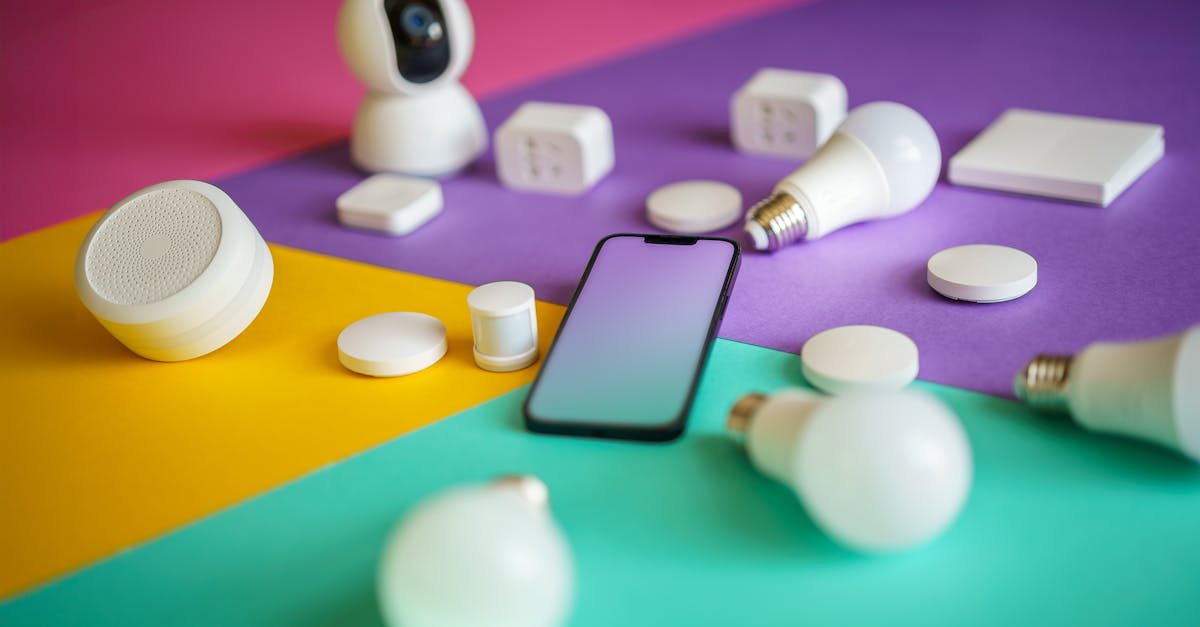
The dream of smart lighting often crashes into the stark reality of older home wiring. You’re excited to upgrade your dimmers and switches to smart versions, envisioning scenes and schedules, only to open the wall plate and discover a two-wire setup: line and load, but no neutral. This isn’t just an inconvenience; it’s a fundamental hurdle that makes most off-the-shelf smart switches incompatible, leaving many homeowners frustrated and resorting to smart bulbs, which come with their own set of compromises.
In my experience, this neutral wire problem is one of the biggest blockers to whole-home smart lighting adoption in older properties. It’s not just about the switch working; it’s about maintaining reliability, avoiding phantom power issues, and ensuring compatibility with your existing bulbs. Many guides simply tell you to ‘call an electrician’ or ‘use smart bulbs,’ but I’ve found a more nuanced approach is necessary if you want truly integrated smart lighting without rewiring your entire home. What changed everything for me was deeply understanding the electrical requirements and the specialized options available, rather than trying to force a standard solution into an incompatible setup.
Key Takeaways
- Prioritize smart dimmers and switches specifically designed for no-neutral wire setups to ensure compatibility and stability.
- Understand that no-neutral switches typically require a small constant current through the load, which can cause flickering with some LED bulbs.
- Implement smart bulbs only where essential for color-changing features, as they complicate traditional switch control in no-neutral scenarios.
- Consider specialized load adapters or bypass modules to resolve common flickering or ghosting issues with low-wattage LED bulbs.
Select Only Smart Switches Engineered for No-Neutral Wiring
The fundamental mistake I see most often is people trying to adapt a smart switch designed for modern wiring (requiring a neutral wire) into an older home. This simply won’t work reliably, if at all. Smart switches, by nature, need a small amount of power to operate their internal electronics, even when the light is off. In a standard setup, this power is supplied via the neutral wire, completing a low-current circuit. Without a neutral, the switch has to ‘borrow’ power by allowing a tiny amount of current to flow through the light bulb, even when it’s supposedly off. This is where the problems begin.
What changed everything for me was realizing that not all ‘no-neutral’ switches are created equal. You need to look for devices explicitly stating they are compatible with two-wire systems or no-neutral installations. Brands like Lutron Caséta, Fibaro, Shelly, and specific models from brands like Inovelli have excelled in this niche. These devices are engineered to operate with minimal current leakage, designed to be less prone to flickering or ‘ghosting’ (where the bulb faintly glows even when off) with sensitive LED loads. For example, my 1940s home has several locations with no-neutral wiring, and I’ve successfully implemented Lutron Caséta dimmers. They work flawlessly with a variety of LED bulbs, from recessed cans to decorative pendants, without any noticeable issues. This is because Lutron’s technology is specifically designed to manage that ‘borrowed’ power without causing visible problems.
The trade-off, however, is that these specialized switches often come at a slightly higher price point or may require a dedicated hub (like the Lutron Smart Bridge). But the reliability and peace of mind they offer are well worth the investment. Don’t fall for generic ‘smart switches’ online that don’t explicitly mention no-neutral compatibility; you’ll likely end up returning them or dealing with infuriating performance issues. Always verify the wiring requirements before purchasing, looking for diagrams that show only line and load connections at the switch.
Avoid Pairing No-Neutral Switches with Smart Bulbs for Reliable Control
This is a common misconception that leads to endless frustration: thinking you can use a no-neutral smart switch to control a smart bulb. While it might seem logical to combine these technologies, it creates an unreliable and often unusable lighting system. Smart bulbs require constant power to maintain their Wi-Fi or Zigbee connection and receive commands. If you install a no-neutral smart switch upstream, when that switch is in the ‘off’ position, it’s effectively cutting the constant power to the smart bulb. This means the smart bulb loses its network connection and cannot be controlled via your voice assistant or app.
In my experience, trying to make this combination work inevitably leads to scenarios where: 1) the smart bulb is unresponsive because the wall switch cut its power, 2) family members default to using the physical switch, rendering your smart features useless, or 3) you constantly have to manually cycle the power to restore the smart bulb’s connection. The whole point of smart lighting is seamless control, and this setup undermines it entirely.
For areas with no-neutral wiring where you absolutely need smart functionality, choose one or the other: either a no-neutral smart switch/dimmer that directly controls a dumb LED bulb, or leave the existing dumb switch in the ‘on’ position permanently (perhaps even replacing it with a blank plate or a special cover) and rely solely on smart bulbs controlled wirelessly. If you need local control with smart bulbs, consider a battery-powered remote or dimmer switch that sends wireless commands to the bulbs, rather than directly controlling their power. For example, in a hallway with no-neutral wiring, I opted for a no-neutral smart dimmer and standard LED bulbs. The dimming and on/off control works perfectly from the wall and app, fulfilling the primary smart lighting need without the complexities of smart bulbs.
Address Flickering and Ghosting with Bypass Modules or Specific LED Bulbs
The Achilles’ heel of no-neutral smart switches is their interaction with low-wattage LED bulbs. Because these switches draw a small amount of current through the load to power themselves, some highly efficient LED bulbs may flicker faintly or ‘ghost’ (emit a very dim glow) even when the switch is off. This isn’t just annoying; it can shorten the lifespan of the LED bulb over time.
The first step to mitigating this is bulb selection. In my home, I’ve found that not all LED bulbs behave the same way with no-neutral dimmers. Some brands or specific models are more tolerant of the slight current leakage. It’s often a process of trial and error, but generally, avoiding the absolute cheapest or lowest-wattage bulbs can help. Look for bulbs specifically labeled as ‘dimmable’ (though even this isn’t a guarantee with no-neutral switches) or those with slightly higher wattage (e.g., 9W+ for a standard A19 equivalent).
If bulb changes don’t fully resolve the issue, a load bypass module or capacitor is often the solution. These small devices (sometimes called ‘snubbers’) are wired in parallel with the light fixture or bulb (often requiring installation at the fixture, not the switch). They provide an alternative path for the switch’s parasitic current, preventing it from flowing through the sensitive LED. For instance, when I installed a no-neutral dimmer controlling a string of very low-wattage LED puck lights, I encountered significant flickering. Adding a Shelly Bypass module at the first puck light eliminated the issue entirely. These modules essentially ‘trick’ the smart switch into seeing enough of a load to operate correctly, diverting the minimal current away from the bulbs’ sensitive drivers. Always consult the smart switch manufacturer’s recommendations, as some brands offer their own compatible bypass modules, and ensure proper installation for safety.
Understand the Nuances of Dimming Performance with No-Neutral Setups
Dimming with no-neutral smart switches introduces its own set of challenges, distinct from simple on/off control. Traditional dimmers often work by ‘chopping’ the AC waveform, which can be further complicated by the small parasitic current draw in no-neutral designs. This can lead to non-linear dimming, a reduced dimming range, or audible buzzing from either the switch or the bulbs.
In my experience, the quality of the no-neutral smart dimmer makes a huge difference here. High-quality dimmers, like those from Lutron Caséta, offer advanced dimming algorithms that compensate for the lack of a neutral wire and the characteristics of LED loads. They often feature trim settings (accessible through their app or physical controls) that allow you to adjust the minimum and maximum dimming levels. This is crucial for eliminating flicker at the lowest settings and ensuring the bulbs turn off completely, rather than ghosting. For example, with a set of dimmable LED candelabra bulbs on a Caséta dimmer, I noticed a slight flicker at the absolute lowest dimming percentage. By adjusting the lower trim setting slightly upwards in the Lutron app, the flicker vanished, and the dimming range still felt perfectly natural for the space.
Another factor is the type of load. No-neutral dimmers are generally designed for resistive loads (incandescent) or specific types of capacitive loads (LEDs). They are typically not suitable for inductive loads (like some motor-driven fans or magnetic low-voltage transformers) unless explicitly stated by the manufacturer. Always check the load type and total wattage compatibility for both minimum and maximum thresholds. Overloading or underloading a no-neutral dimmer can lead to instability, damage to the switch or bulbs, or even fire hazards. When in doubt, err on the side of caution or consult an electrician.
Consider Whole-House Retrofit Implications and Phased Upgrades
Successfully implementing no-neutral smart lighting often involves more than just swapping out a single switch; it’s about a strategic, phased approach to your entire home’s lighting ecosystem. Attempting to convert every switch at once can be overwhelming and costly, especially if you encounter unforeseen compatibility issues in different rooms or with varying light fixtures.
My recommendation is to start with key areas where smart lighting will have the most impact and where the neutral wire issue is present. This could be a living room with multiple lamps, a main hallway, or a bedroom. Prioritize locations where you want seamless wall control over general ambiance. For areas where rewiring for a neutral wire is genuinely feasible (e.g., during a renovation where walls are open), it’s always the most robust long-term solution. However, for most older homes, opening walls for every switch box is simply not practical or budget-friendly.
For the no-neutral locations, select your specialized switches carefully and test them thoroughly with your chosen LED bulbs. Be prepared to invest in bypass modules if needed. As you expand, maintain consistency in your chosen no-neutral smart switch ecosystem (e.g., stick with Lutron Caséta if you started there) to simplify management and troubleshooting. This phased approach allows you to learn from each installation, identify potential quirks with your home’s unique wiring, and spread the cost over time. It transformed what could have been a daunting and frustrating project into a manageable and rewarding upgrade across my older home, gradually bringing the convenience of smart lighting to every corner.
Frequently Asked Questions
What is a neutral wire and why is it important for smart switches?
A neutral wire provides a continuous path back to the electrical panel, completing a circuit. Most smart switches require a neutral wire to draw a small amount of constant power for their internal electronics (like Wi-Fi, Zigbee, or Bluetooth radios) to operate, even when the light is off. Without it, the switch attempts to ‘borrow’ power through the light bulb, which can cause issues.
How can I tell if my light switch has a neutral wire?
The easiest way is to turn off the power at the breaker, remove the wall plate, and gently pull out the existing switch. If you see only two wires connected to the switch terminals (typically black for line and load), you likely do not have a neutral wire. A neutral wire is usually white (though not always in older homes) and often bundled with other white wires at the back of the electrical box, typically not connected directly to the existing non-smart switch.
Can I just run a neutral wire from a nearby outlet?
While technically possible for a qualified electrician to do, it’s often more complex and costly than it sounds. It involves running new wiring inside your walls, which requires expertise, permits, and can be disruptive. For most DIYers, it’s not a practical solution. Specialized no-neutral smart switches are designed to avoid this need.
Will using a no-neutral smart switch damage my LED bulbs or wiring?
When installed correctly and with compatible bulbs/bypass modules, no-neutral smart switches are generally safe and won’t damage your wiring. However, the continuous low current draw can cause certain sensitive LED bulbs to flicker or ‘ghost’ (glow faintly), potentially shortening their lifespan. Selecting high-quality, compatible bulbs and using bypass modules helps mitigate these issues and protect your bulbs.
Are no-neutral smart switches less reliable than those with a neutral wire?
Modern no-neutral smart switches from reputable brands have significantly improved in reliability. However, they can be more susceptible to compatibility issues with specific LED bulbs, leading to flickering or ghosting, due to their power-borrowing method. Switches with a neutral wire generally offer broader bulb compatibility and a more stable power supply to their internal electronics, which can translate to slightly more consistent performance in some cases. It’s a trade-off that has narrowed considerably with better no-neutral technology.
Implementing smart lighting in a home without neutral wires requires a bit more research and a willingness to explore specialized solutions. But with the right choices, you can achieve a truly smart home lighting experience without the costly and disruptive process of rewiring. Start with a plan, understand the technical nuances, and choose products explicitly designed for your home’s unique electrical fingerprint. The convenience and control you gain are well worth the effort.